So what's the difference?
If you work with engineering metrics, you probably see averages all the time: average review time, average pull request cycle time, average throughput…
But the average does not always show what is really happening in your process.

One or two cases far outside the usual range can pull the number up or down and completely change how you interpret it.
The median, also known as the 50th percentile (P50), helps with exactly this. It shows the value in the middle of the distribution and often better represents the normal behavior of a process.
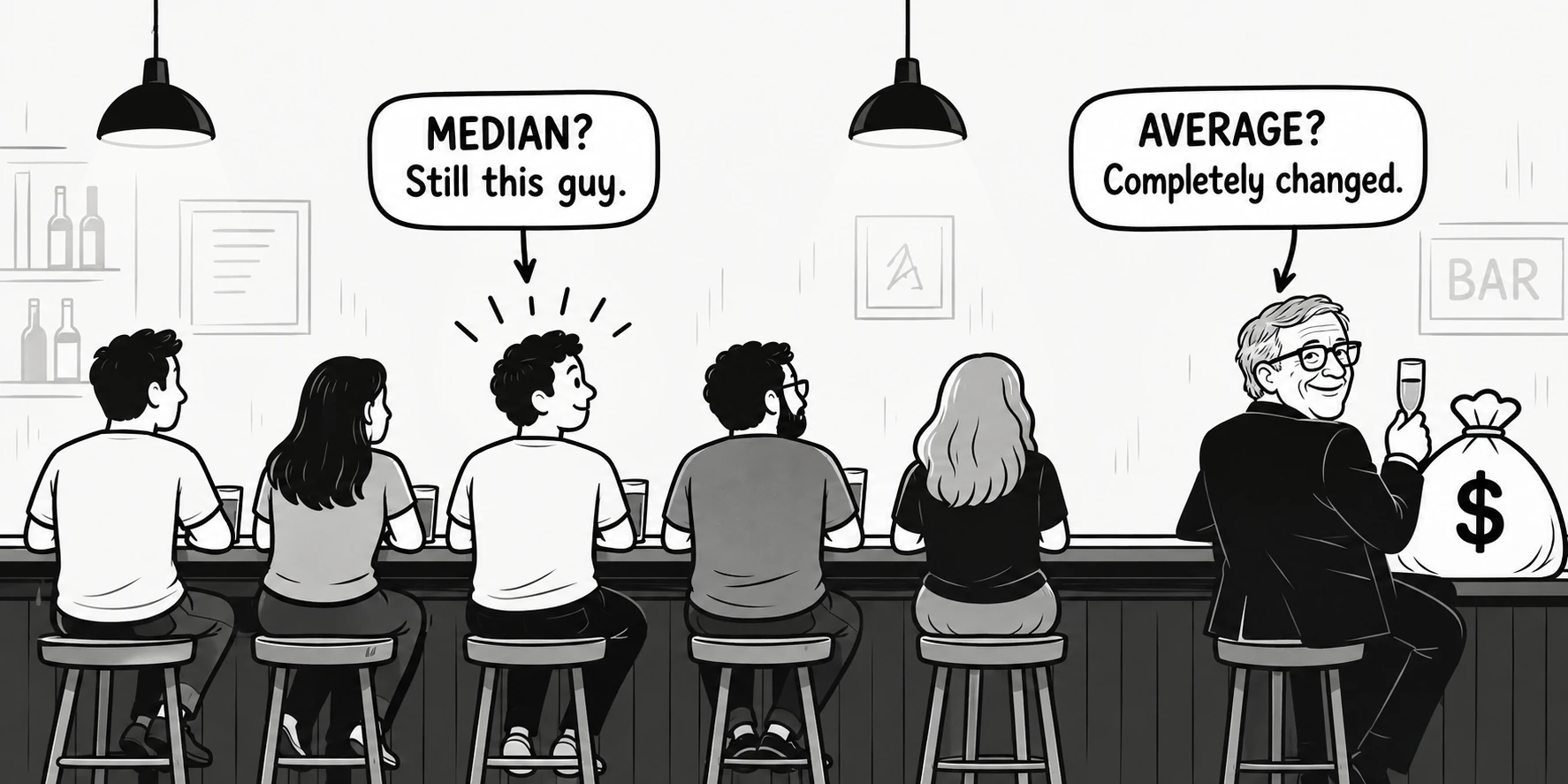
This does not mean the average is a bad metric. It considers every value, including the extremes (outliers), and that may be exactly what you need in certain situations.
The problem arises when we use the average to answer questions it cannot answer well. Understanding when to look at the average and when to look at the median can change both how you interpret the numbers and the decisions you make based on them.
See how a single value can influence the average
- PR A20h
- PR B24h
- PR C24hP50
- PR D28h
- PR E24h
Symmetric
Illustrative curve of skewness. The values are calculated from the five PRs.
How do we calculate them?
(20 + 24 + 24 + 28 + 24) ÷ 5 = 24h
- 20h
- 24h
- 24h
- 24h
- 28h
The middle value stays at 24h in this group, even when PR E becomes the shortest or the longest.
The average does not always reflect how the majority behaves.
Understand the scenarios
Same data, different readings. See how each measure can change the interpretation and the decision. These examples are illustrative, and the decisions show what a single reading might suggest. Durations use elapsed days, with 7 days per week.
Scenario 01
Is our code review process slow?
- Review Time
- 1d, 2d, 2d, 3d, 1w
Average
3d
Across all PRs, Review Time was 3 days. The review that took a week had a substantial effect on that result.
Understand why specific PRs take much longer than others.
Median
More useful for this question2d
A typical PR goes through review in approximately 2 days.
Check whether the typical 2 days meet the team’s needs before changing the whole process.
Scenario 02
How much work should we plan for the next sprint?
- Throughput per sprint of 2 weeks
- 18, 19, 20, 23, 100 issues
- Exceptional sprint
- A migration split into many small issues resulted in 100 completions.
Average
36 issues
One sprint pulls the average up to 36 issues, even though the other four ranged from 18 to 23.
Plan 36 issues and assume the migration’s exceptional volume can be repeated next sprint.
Median
More useful for this question20 issues
Typical throughput is closer to 20 issues per sprint of two weeks.
Use approximately 20 issues as a starting point and check whether the next sprint contains similarly sized work.
Scenario 03
How does our Cycle Time compare with the benchmark?
- Our PR Cycle Time
- 1d, 2d, 2d, 3d, 2w
- Hypothetical benchmark
- 3d average per PR
- Comparable scope
- Same metric definition, included stages, measurement period, and similar work.
Average
More useful for this question4.4d
Our average exceeds the benchmark’s 3d. The PR that took 2w contributes to that result.
Use the gap to examine the longest waits and test changes that reduce average Cycle Time.
Median
2d
A typical PR takes 2d. Comparing that with the benchmark’s 3d average would make us appear faster, but mixes different measures.
Use 2d to track typical flow. Use our average when comparing with this benchmark.
Match the measure reported by the benchmark. If it reports a median, compare medians instead.
Scenario 04
Did our process change improve Cycle Time?
- Before
- 1w, 2w, 2w, 3w, 12w
- After
- 4d, 1w, 1w, 10d, 12w
Average
4w → 3.2w
Across all items, the average fell from 4 to 3.2 weeks. The case that took 12 weeks still weighs on the result.
Conclude that the change had little impact.
Median
2w → 1w
Cycle Time fell from 2 weeks to 1 week for typical work.
Recognize that flow improved for most deliveries.
The median shows improvement in typical flow, while the average shows that very slow cases still need a closer look.
Scenario 05
Which team has the healthier review process?
- Squad A
- 1d, 1d, 2d, 2d, 2w
- Squad B
- 3d, 3d, 3d, 4d, 4d
Average
A 4d · B 3.4d
By average, Squad B appears faster.
Examine review time in Squad A, which has a higher average.
Median
A 2d · B 3d
A typical PR completes review sooner in Squad A.
Examine Squad A’s practices to understand its faster typical review.
Do not turn this into a team ranking. Squad A has faster typical flow but a problematic tail, while Squad B is more consistent.
Flow metrics help examine processes, not create rankings between teams.
Compare them in DevStats
1. Compare average and median
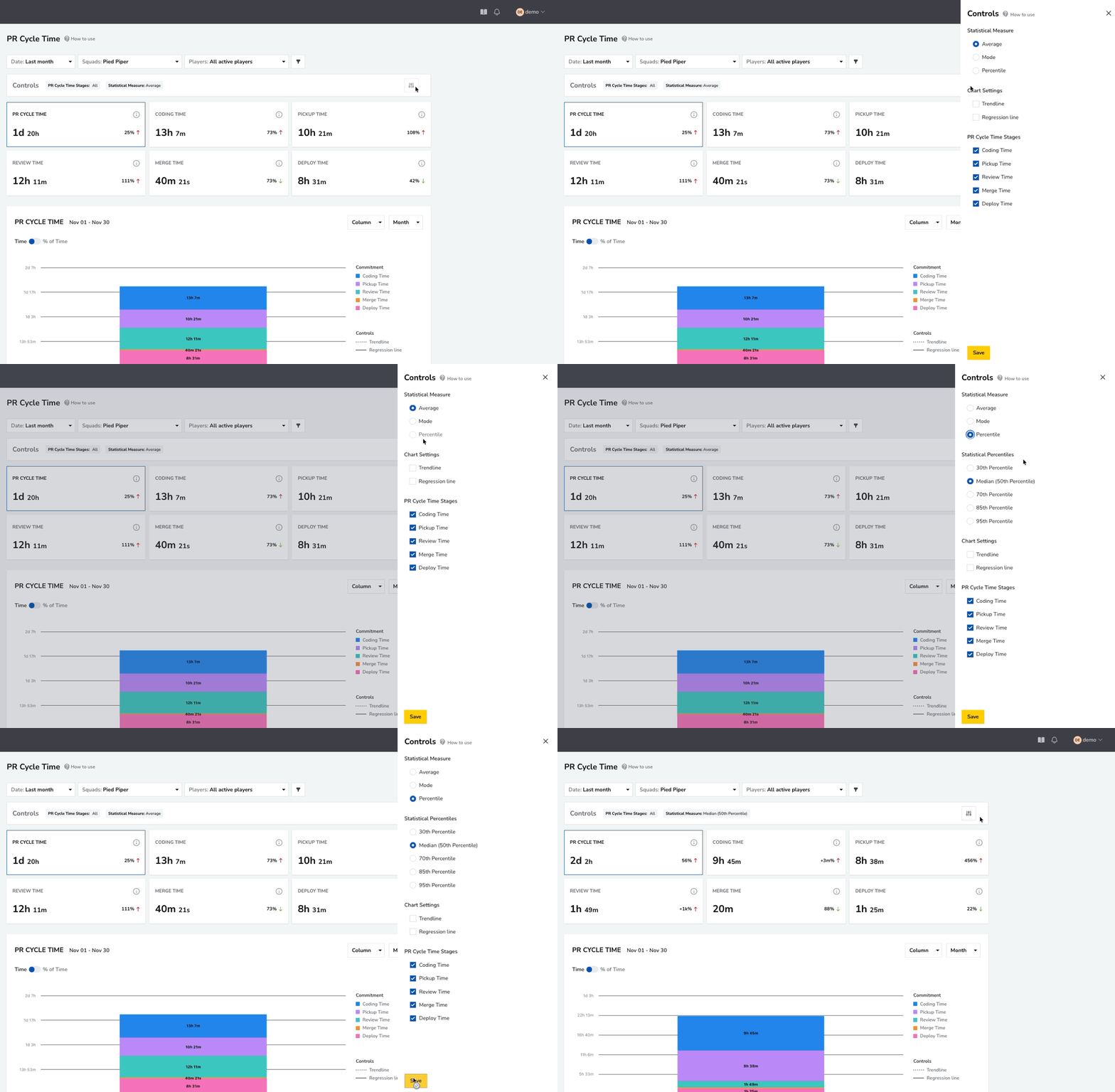
- In PR Cycle Time, start with the average to see the result across all PRs.
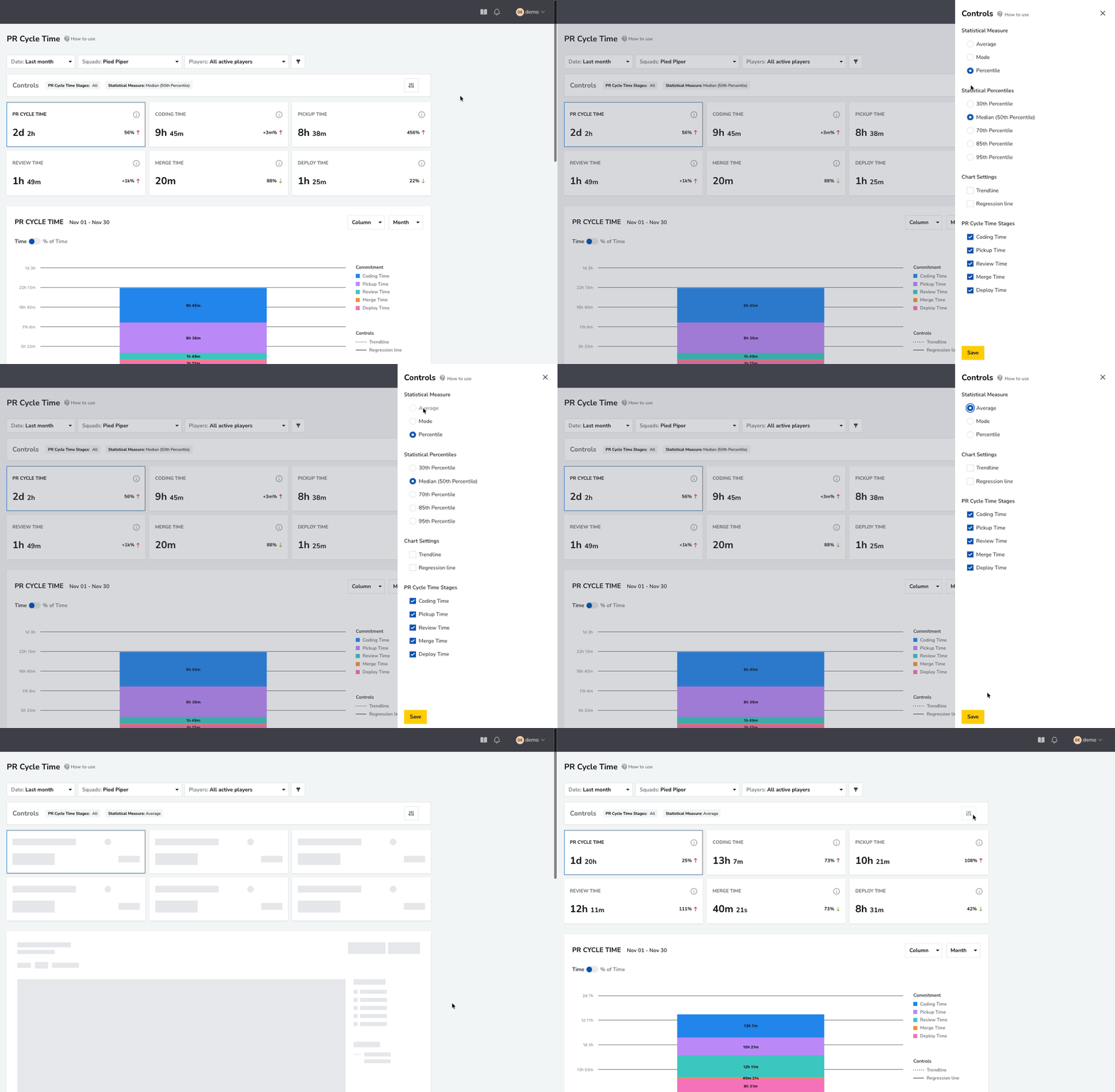
- Switch to the median to see the time for a typical PR. Compare the two using the same team, period, and filters.
2. Identify unusual PRs (outliers)
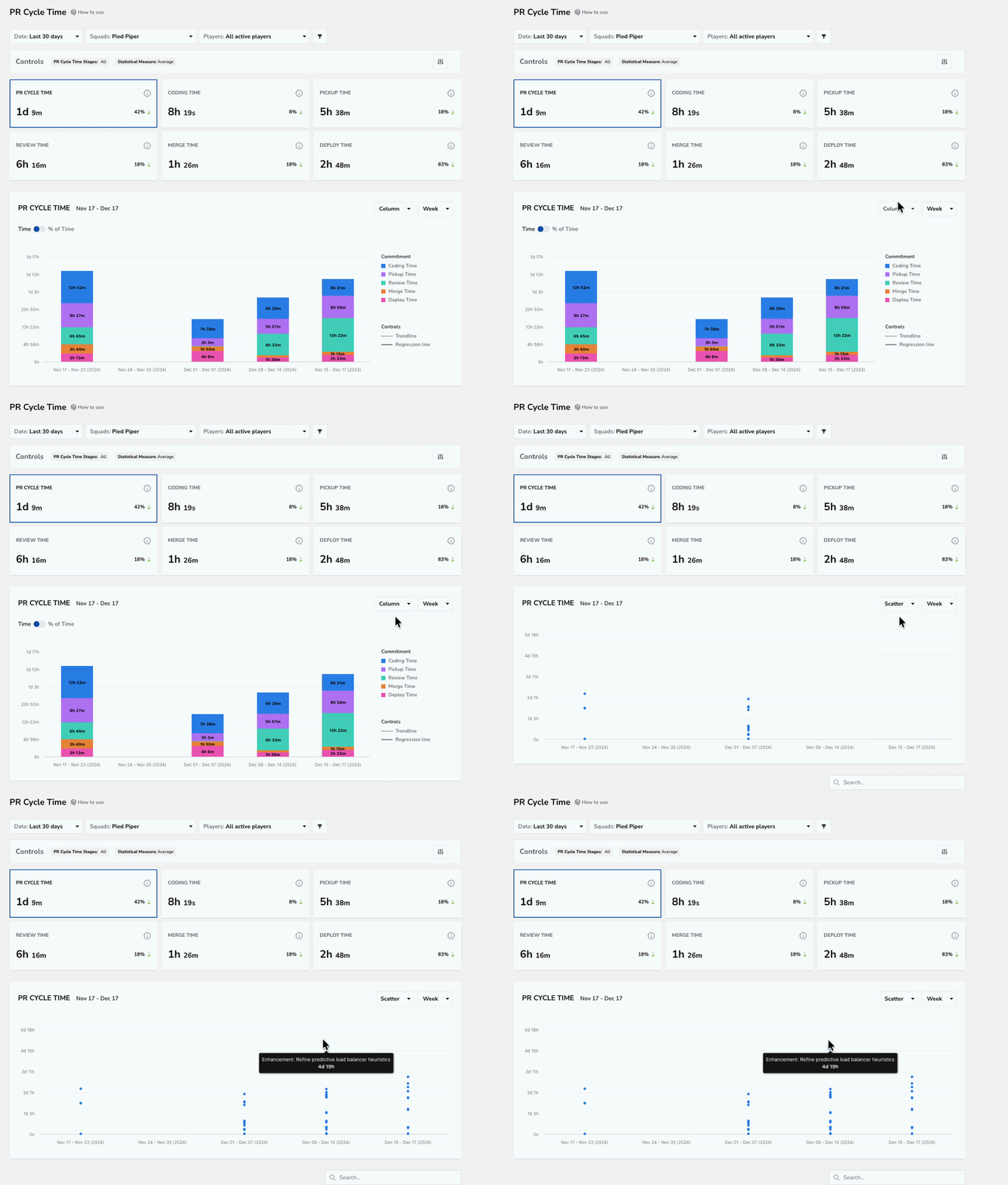
- Look for PRs that took much longer than the rest. They can help explain the gap between average and median.
3. Investigate PRs with the longest cycle times
- Examine one of those PRs to see which stages accounted for the most time.
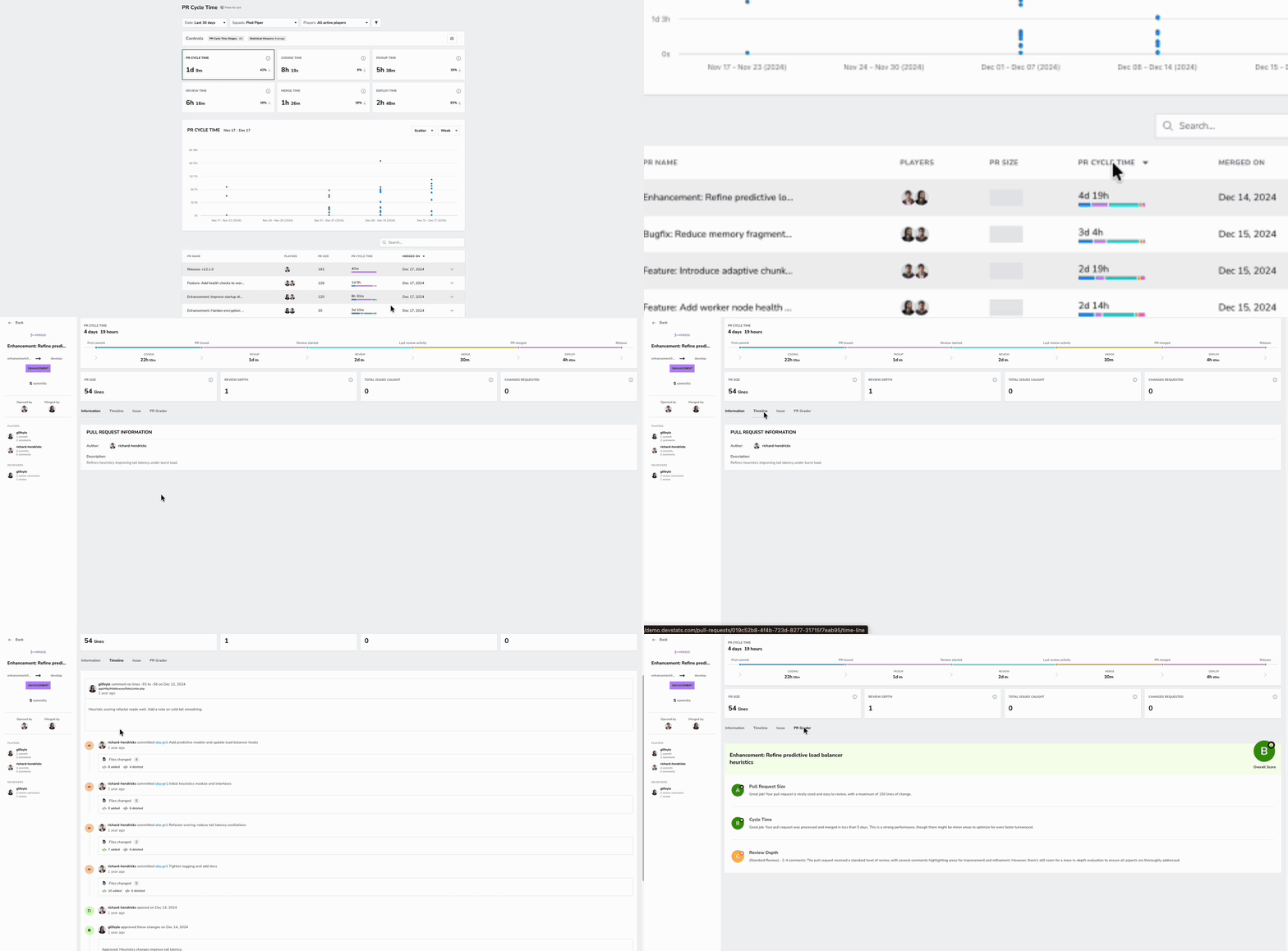
This helps you identify whether the delays are isolated cases or part of a pattern that needs attention.
To learn more: see the Controls documentation and the PR Cycle Time definition.
Controls preferences carry across supported metrics. When you finish, select the measure you want to keep using.