What is the Devin Activity report?
The Devin Activity report shows session usage, pull request activity, session health, and work mix from your connected Devin organization. Open it from DevEx > Devin Activity.
Use it to understand adoption and the kinds of work delegated to Devin. Activity counts alone do not establish productivity or code quality.
Before you start
Connect Devin in Settings > Integrations and wait for the initial synchronization. If no organization is connected or synchronization is still running, the report redirects you to the integration setup.
Available data and player names depend on the synchronized sessions and identity mapping. Sessions without a mapped player can contribute to overall totals without appearing in the Players table.
Filters and charts
Use Date and Players to select the period and actors to inspect. Visibility also follows your workspace permissions. Users with permission to view Settings can open Edit Integration from the report.
The date filter uses session creation dates. PR metrics describe PR records associated with those sessions, including their synchronized state; they are not counts filtered by PR creation or merge date.
Select an Overview or PR Flow card to update its related chart. Use the available chart controls to change the visualization or time grouping.
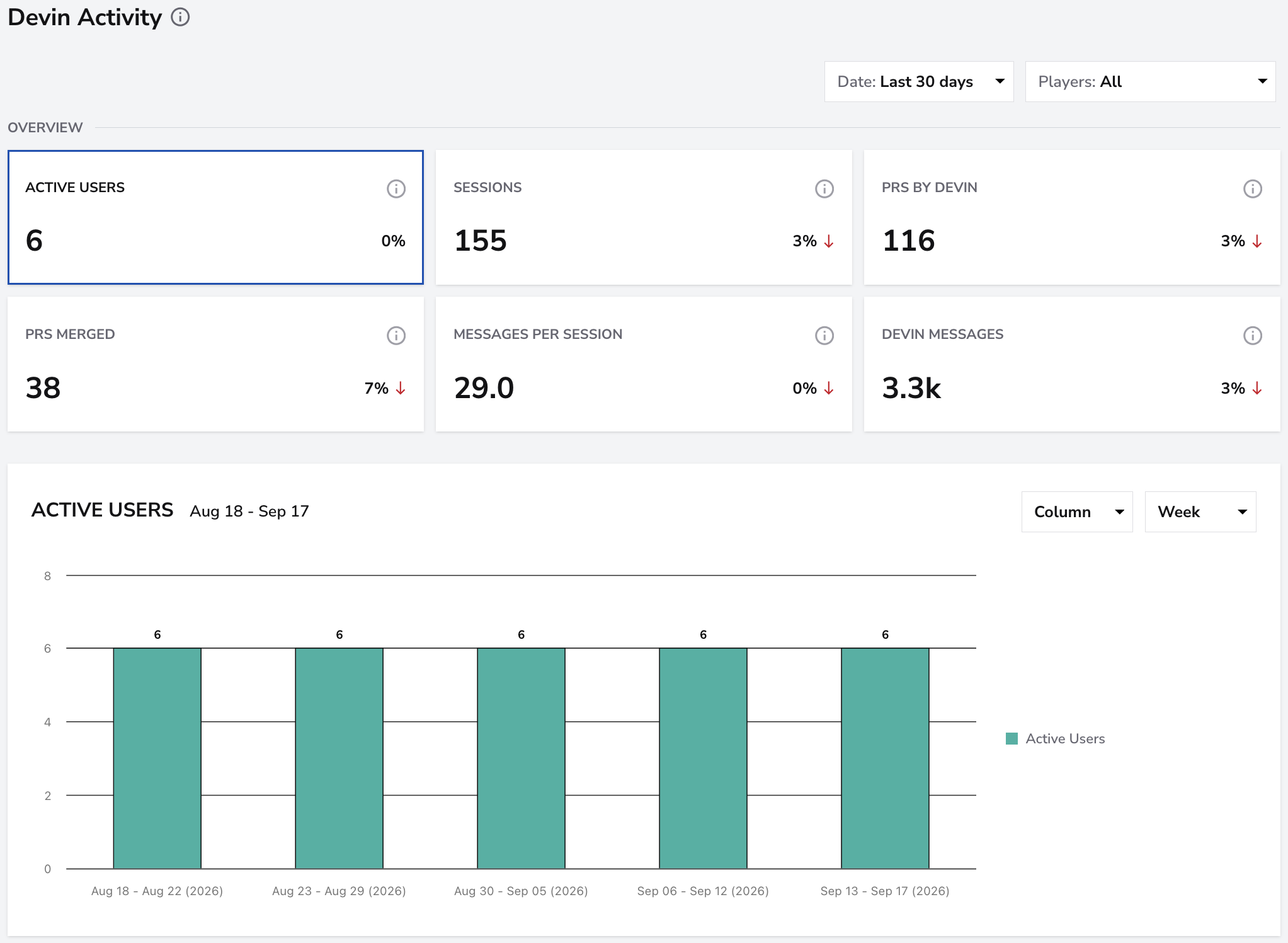
Overview
- Active Users: distinct recorded user or service-user identities associated with sessions in the selected period. This can include non-human actors.
- Sessions: number of recorded sessions.
- PRs by Devin: PR records associated with the selected sessions.
- PRs Merged: associated PR records whose synchronized state is merged.
- Messages per Session: total user and Devin messages divided by the session count.
- Devin Messages: messages recorded as sent by Devin, excluding user messages.
Selecting Sessions shows the session distribution by origin: Webapp, Slack, Linear, API, Automation, and Other.
PR Flow
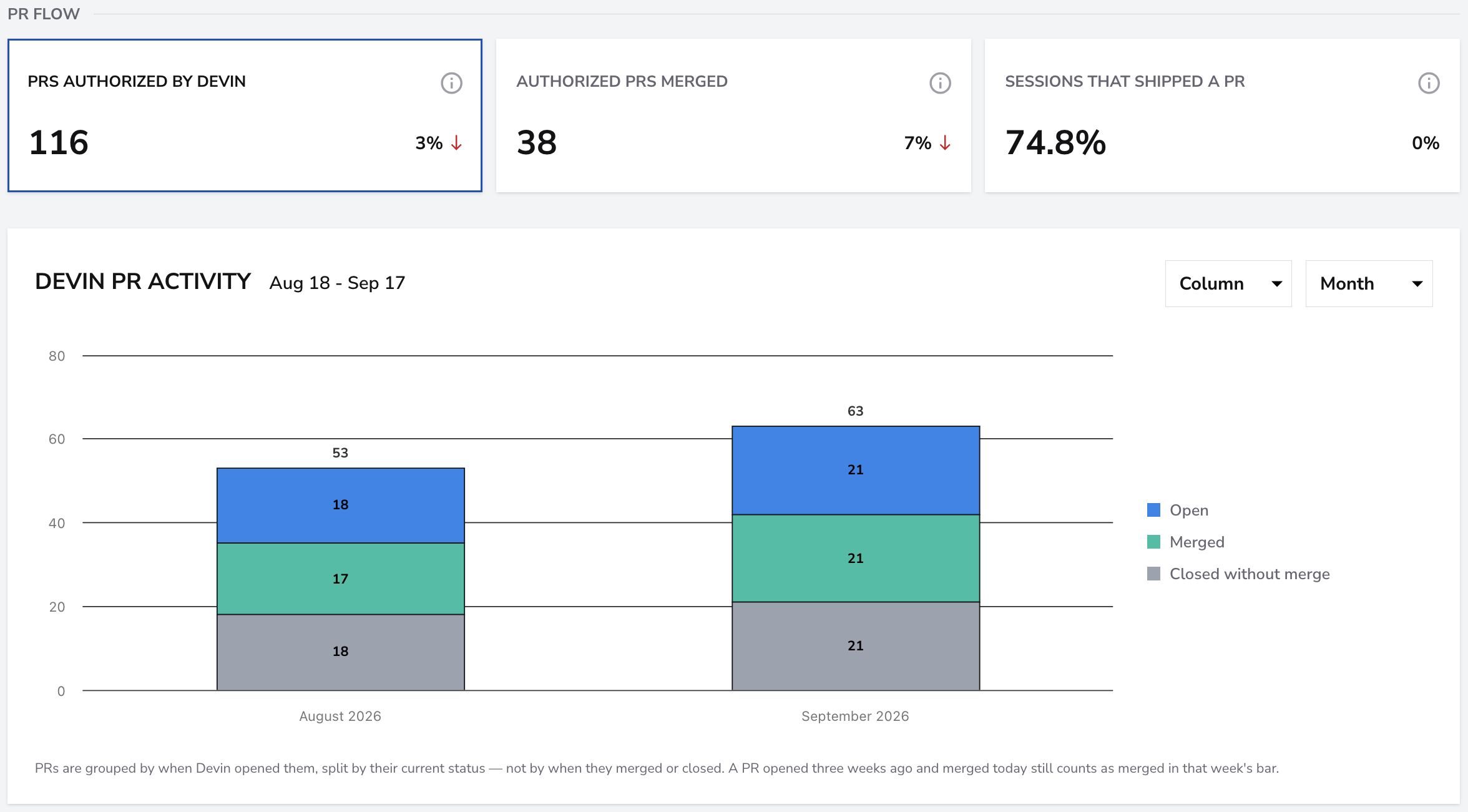
- PRs Authorized by Devin: the same associated PR count used by PRs by Devin in Overview.
- Authorized PRs Merged: the same merged PR count used by PRs Merged in Overview.
- Sessions That Shipped a PR: percentage of selected sessions with at least one associated PR, regardless of its state.
The “Authorized” labels do not represent a separate approval step. A session that shipped a PR did not necessarily produce a merged PR. A session can have more than one PR record.
Session Health
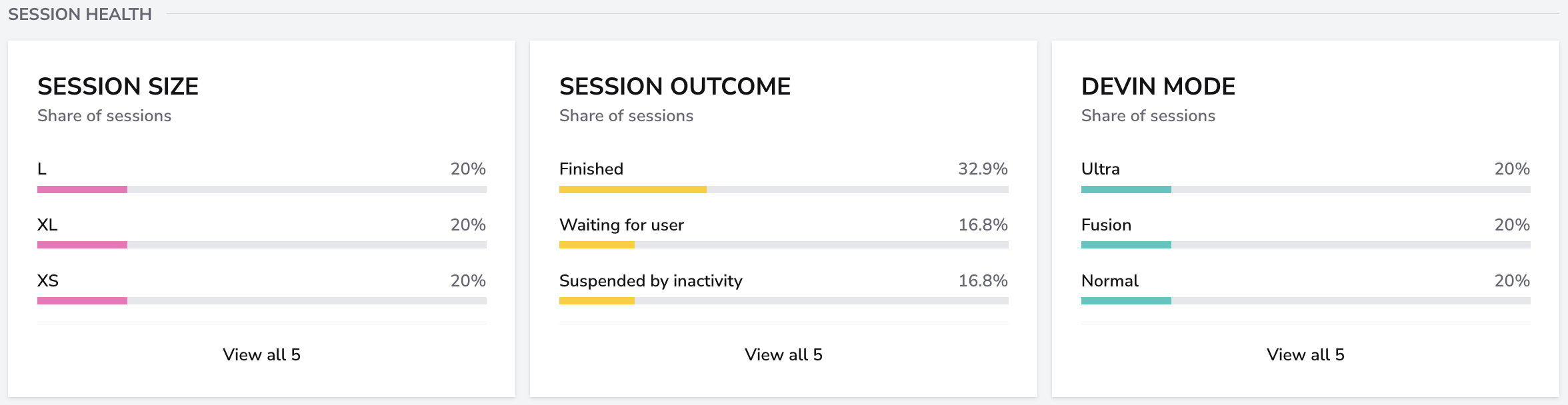
- Session Size: distribution of the recorded size labels among sessions with a size value.
- Session Outcome: distribution of all selected sessions across Finished, Waiting for user, Suspended by inactivity, Out of quota/credits, Error, and Other.
- Devin Mode: distribution of recorded modes among sessions with a mode value.
Outcomes are derived from the synchronized session status and status detail. Finished does not necessarily mean that a PR was merged. Missing size or mode values are excluded from those respective breakdowns.
Work Mix
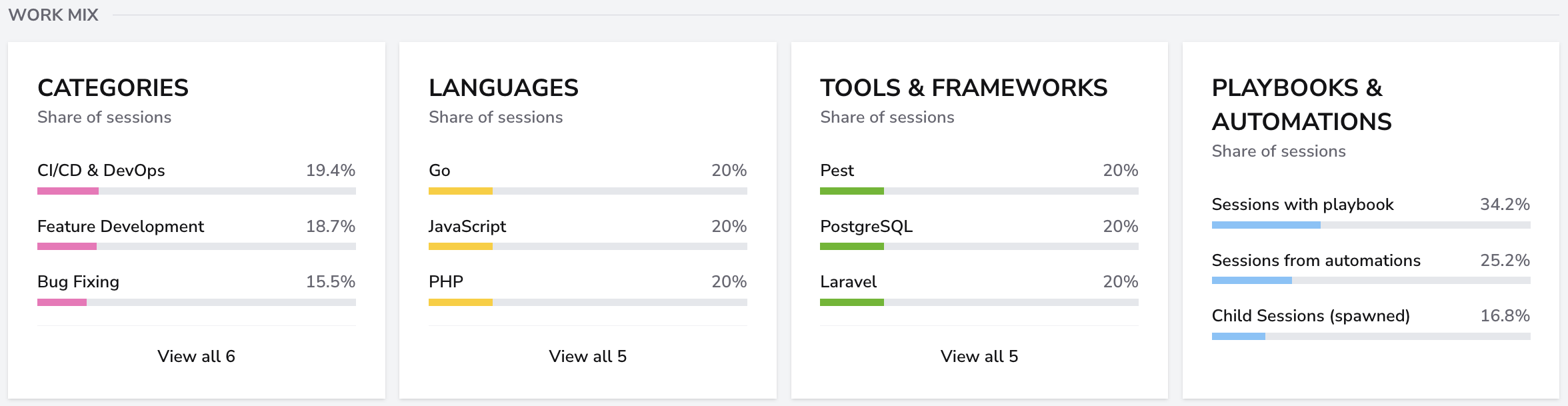
- Categories: distribution among sessions with a recorded category.
- Languages: percentage of all selected sessions associated with each language.
- Tools & Frameworks: percentage of all selected sessions associated with each tool or framework.
- Playbooks & Automations: percentages of sessions with a playbook, an automation, or a parent session (child sessions).
Languages, tools, and automation attributes can overlap within a session, so their percentages need not sum to 100%. Missing classifications can also leave sessions unrepresented in a breakdown.
Use View all, where available, to open the complete breakdown.
Players table
The table shows actors with mapped players and recorded sessions:
- Active Days: distinct dates on which their sessions were created.
- Sessions: session count.
- PRs Shipped: associated PR record count, not just merged PRs.
- Merge Rate: merged PR records divided by all associated PR records.
- Avg Msgs/Session: average user and Devin messages per session.
- Top Category and Top Language: most frequent recorded category and language.
Use Search Players, sortable column headings, and Category: All to explore the table. The category selector filters the table, not the other report sections.
Highlighted API rows identify mapped non-human actors, such as service users and automations. Their activity remains included in the report totals. Actors without mapped players are excluded from the table, so its totals can differ from Overview.
How to interpret the report
Compare session volume, outcomes, and PR activity together. More messages can reflect a longer interaction rather than better delivery, and a recorded PR does not prove that the work was accepted or shipped to production.
Use delivery and quality metrics alongside Devin Activity, and keep session creation dates, PR states, and identity-mapping coverage in mind when comparing results.