This section centralizes key configurations that define how your organization operates. From setting up your company's identity to managing who can access what, this area ensures your workspace is tailored to your team's needs.
Explore the following sections:
 Company Profile
Manage your company's information, including workspace domain, company name, and logo, to personalize your DevStats experience.
Company Profile
Manage your company's information, including workspace domain, company name, and logo, to personalize your DevStats experience.
 Access Management
Control who has access to your workspace, assign roles, and manage squad-level permissions for better collaboration and security.
Access Management
Control who has access to your workspace, assign roles, and manage squad-level permissions for better collaboration and security.
 Players
Manage player accounts across your workspace, disable inactive players, or merge duplicate accounts for accurate tracking.
Players
Manage player accounts across your workspace, disable inactive players, or merge duplicate accounts for accurate tracking.
 Timezone
Customize the timezone for your workspace to ensure all reports and metrics align with your team's local time.
Timezone
Customize the timezone for your workspace to ensure all reports and metrics align with your team's local time.
 Projects
Review connected projects, manage squad assignments, and monitor integration status.
Repositories
Review synced, pending, and ignored repositories, manage squad assignments, and monitor integration status.
Projects
Review connected projects, manage squad assignments, and monitor integration status.
Repositories
Review synced, pending, and ignored repositories, manage squad assignments, and monitor integration status.
Additional workspace settings:
- Security Settings
- Custom Integrations — available only when enabled for the workspace
- Channels — available only when enabled for the workspace
- AI Reports
How to access the settings
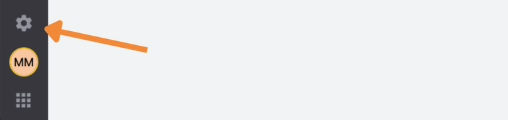
To access the settings, click the gear icon in the top navigation bar.