What is PR Inbox?
PR Inbox brings together pull requests that need review, work waiting on an author, and recent merged or closed PRs. Use it to choose what to review next and follow your squad's review streak.
The review streak measures time waiting for a reviewer during configured working hours. It is different from the repository merge-time streak described in Open PRs.
Open Your Inbox
- Open PR Inbox from the product navigation.
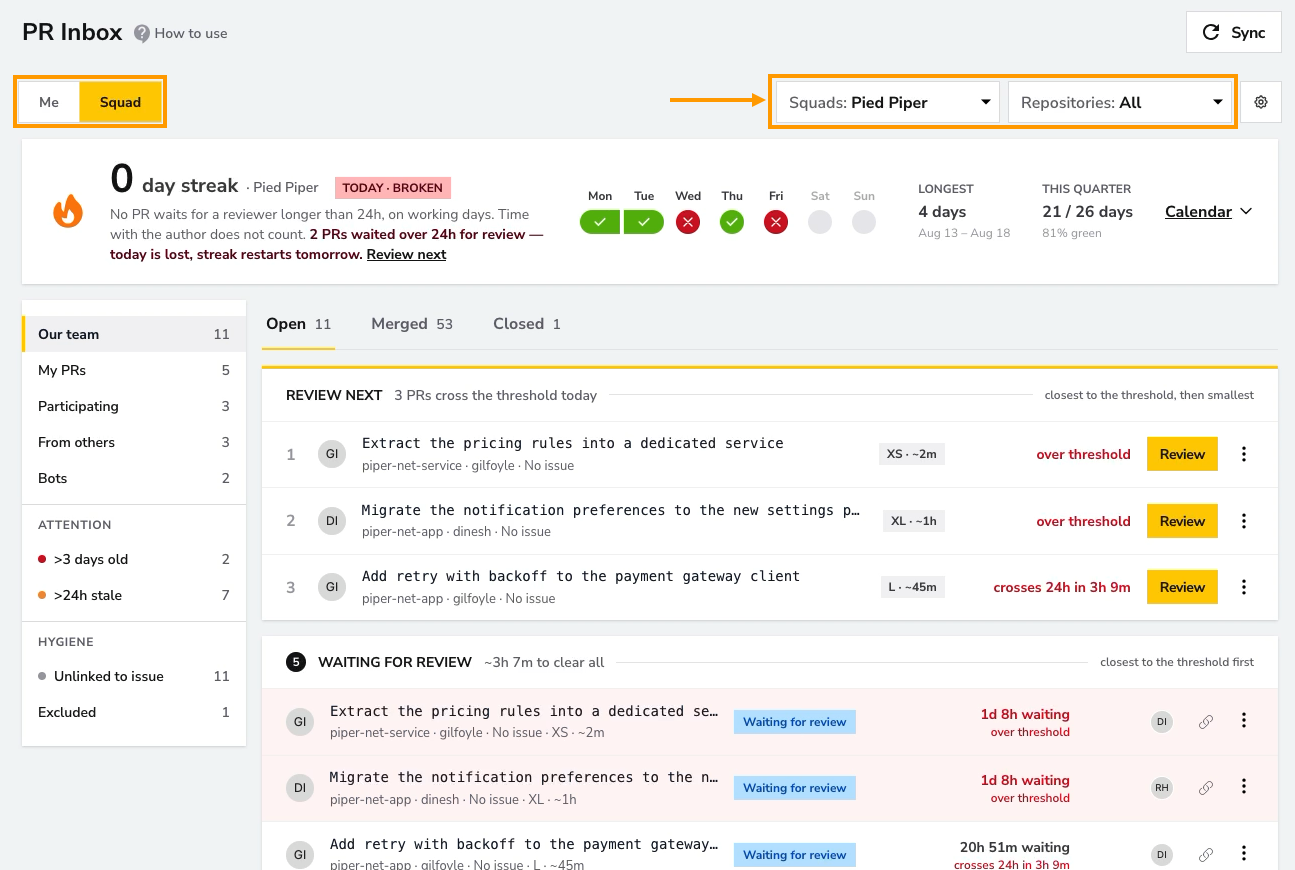
- Select a squad and, if needed, narrow the list to specific repositories.
- Choose Me for PRs you authored or participate in, or Squad for the selected team's repository scope.
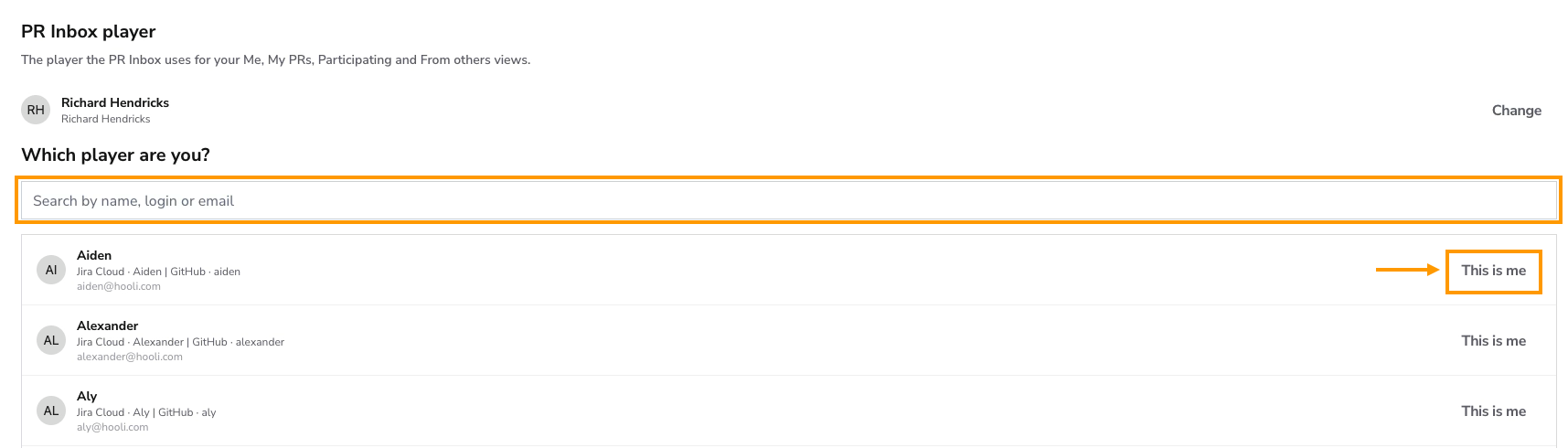
- If prompted, select your player so DevStats can associate your provider identity with the personal views. You can manage this association in your profile's PR Inbox page.
Without a Git provider integration, the report shows sample data. Connect your repositories to work with your own pull requests.
Choose What to Review
The Open tab groups PRs by their current state:
| Section | How to use it |
|---|---|
| Review next | Start with the suggested queue, ordered by proximity to the review threshold, then by size. In Me, your own PRs are omitted from this queue. |
| Waiting for review | Review the PRs whose review clock is running, with the most urgent first. |
| Other open PRs | Check work waiting on the author or a merge, ordered oldest first. |
| Drafts | Expand the section to see PRs that are not ready for review. |
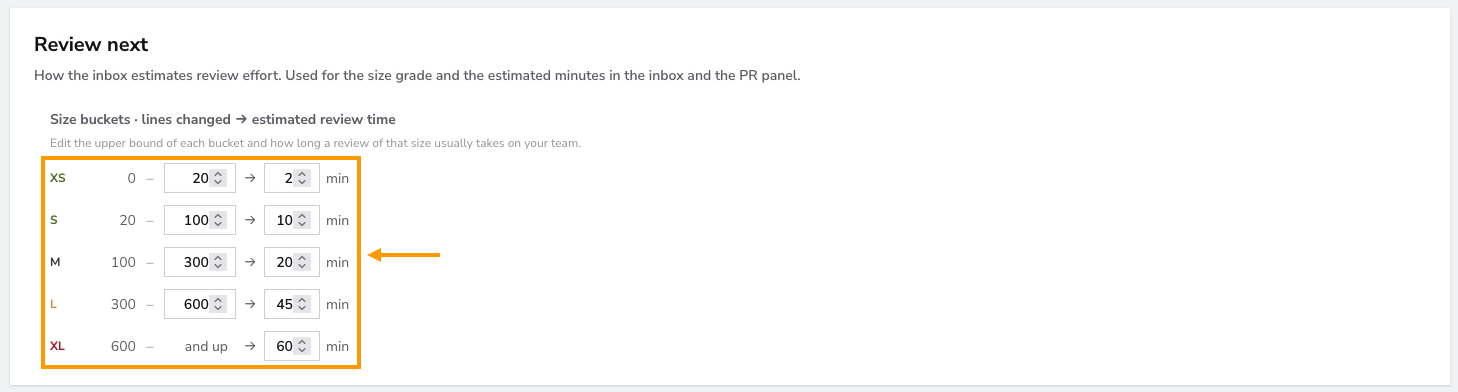
Rows show review status and timing alongside PR details. Estimated review minutes come from the configured size buckets and changed-line counts; they are estimates, not measured review duration.
Filter the List
Use the side navigation to focus the selected view:
- My inbox / Our team: the main list for Me / Squad.
- My PRs: PRs you authored.
- Participating: other authors' PRs where you were requested as a reviewer or have already reviewed.
- From others: PRs you did not author and do not participate in; available in Squad.
- Bots: PRs from bot authors.
- >3 days old: PRs created more than three days ago.
- >24h stale: PRs with no update for more than 24 hours, using their creation time when no update time is available.
- Unlinked to issue: PRs without a resolved issue link.
- Excluded: individually excluded PRs, when exclusion is enabled.
Personal filters require a player association. The age and stale filters describe elapsed time; they are separate from the review streak's working-hours clock.
Inspect a Pull Request
Open a PR's detail panel to see its status, source and target branches, open-time breakdown, author, reviewers, linked issues, change size, and timeline. Use Open in provider to continue the review in your Git provider.
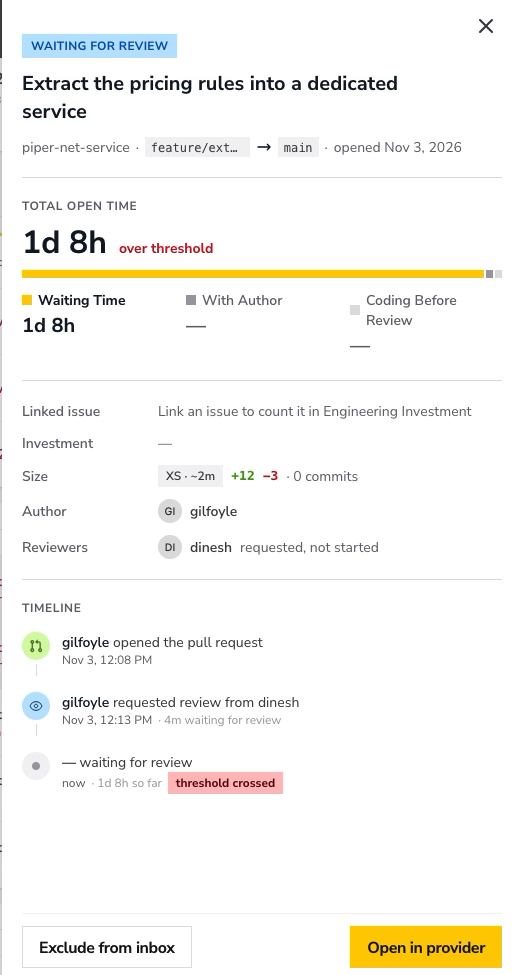
When exclusion is available, Exclude from inbox removes an individual PR from normal inbox consideration. Find it under Excluded and use Restore to inbox to include it again. These actions do not close or merge the PR in the provider.
Track the Review Streak
The squad keeps its streak when no eligible PR waits for a reviewer longer than the configured threshold on working days. Time spent with the author does not count toward review waiting time.
The streak card shows the current streak, today's status, the longest streak, and the quarter's result. Expand the calendar and select a day marked as broken to inspect the PRs responsible. Days off do not count toward or against the streak.
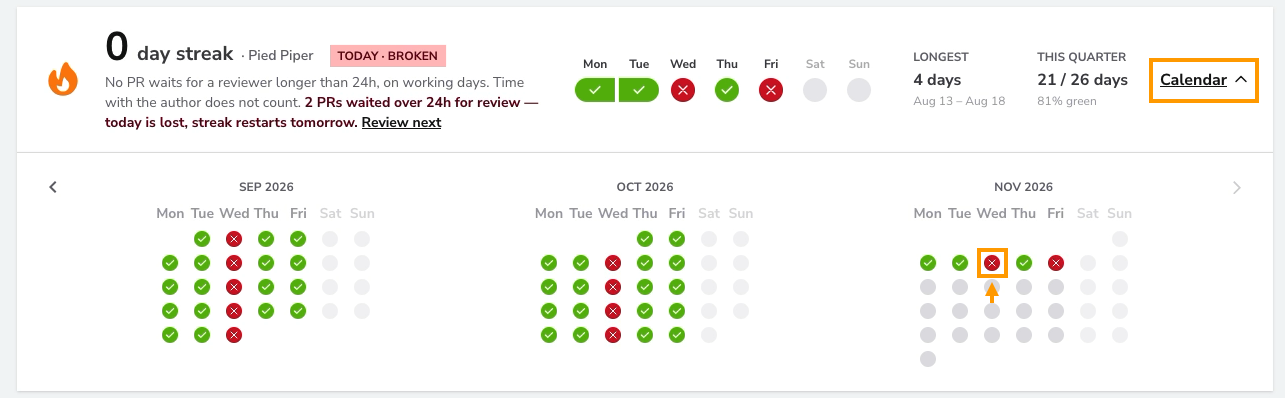
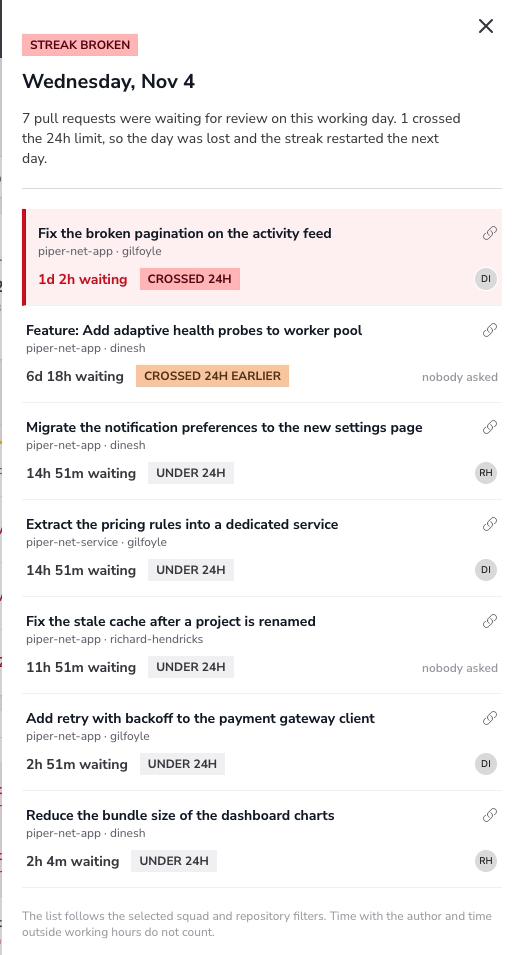
A PR can remain open while waiting on its author or a merge, so its total open time and review waiting time can differ.
Configure PR Inbox
Open the PR Inbox settings gear if you have permission to view workspace settings.
Review Streak and Inclusion
- Set the maximum time waiting for review: 8, 24, 48, or 72 hours. The default is 24 hours, applied across repositories.
- Set working hours and working days. The clock uses the workspace timezone.

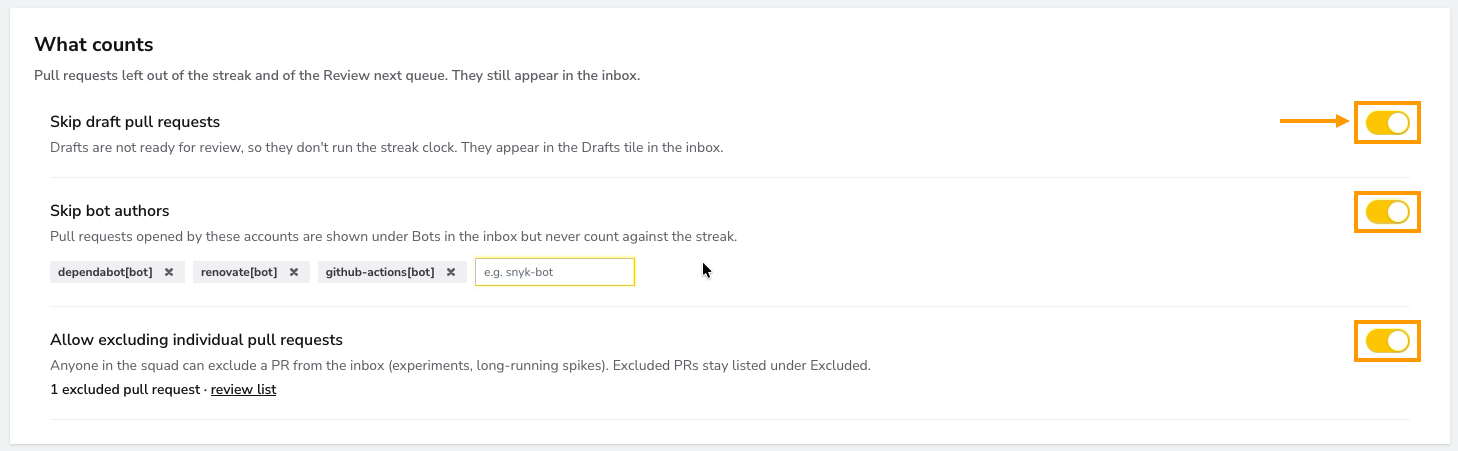
- Review What counts to configure draft and bot handling, bot account names, and whether individual PRs can be excluded.
- Adjust Review next size buckets to match your team's estimated review effort.
When a change affects streak calculations, the save flow asks to recompute history. This runs in the background using existing data; it does not fetch new data from providers. The streak, longest streak, and quarter can change during recomputation.
Alerts and Squad Channels
Connect a channel in Workspace Settings → Channels, then configure delivery and a destination for at least one squad under Squad channels and save.
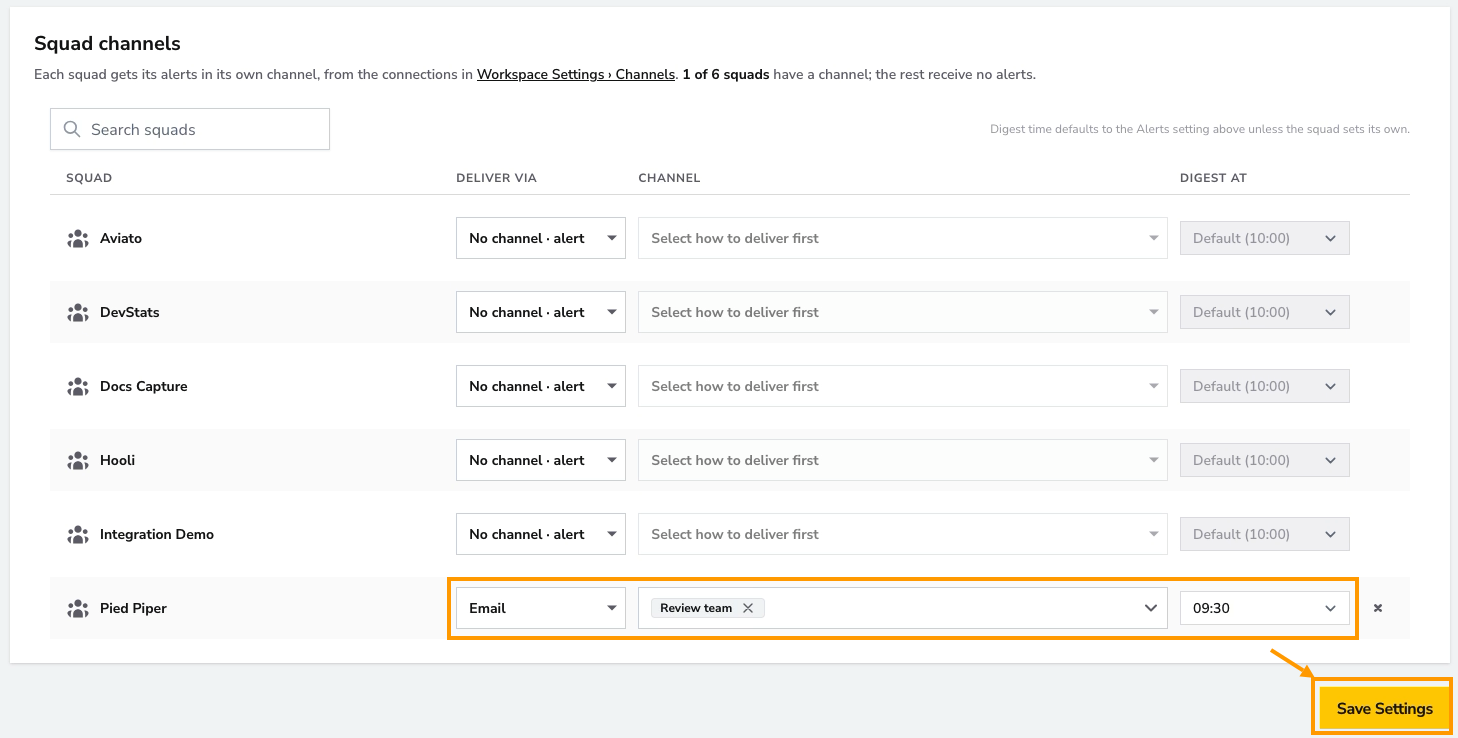
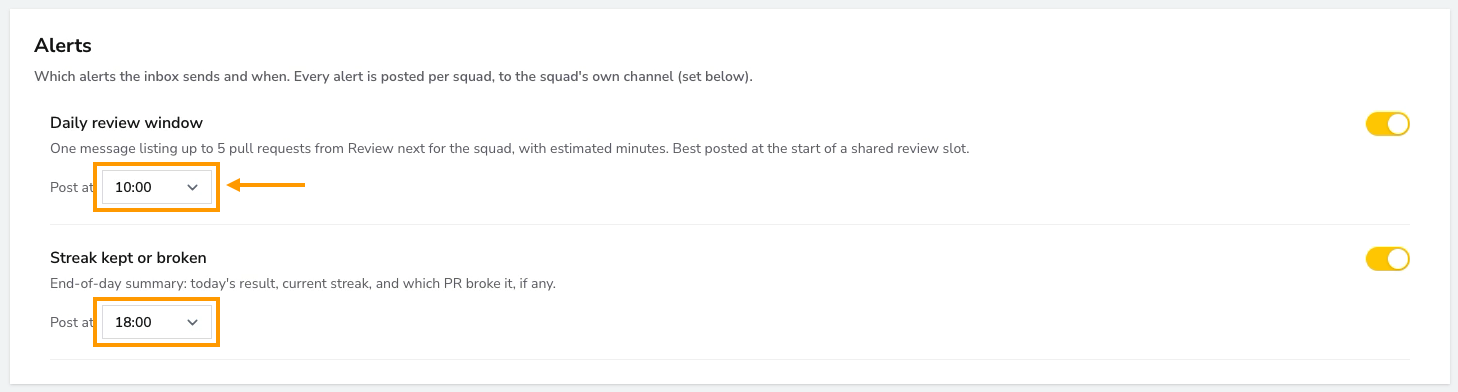
Once a squad has a channel, the alert controls unlock. Configure Daily review window for a suggested review queue and Streak kept or broken for the end-of-day result. Squads without a channel receive no alerts.
Review Recent History
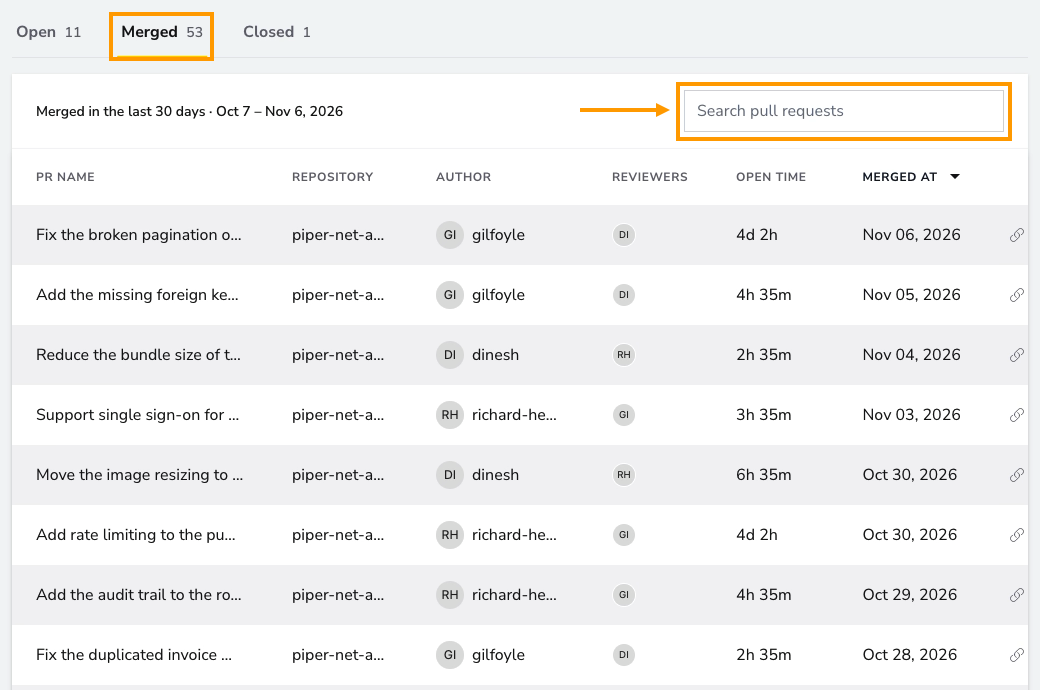
Switch to Merged for PRs merged in the last 30 days, or Closed for PRs closed without merging in the last 30 days. Use the history search and sorting controls to find completed work.
Refresh the Data
The report updates automatically as new data becomes available. Use Sync when recent provider changes are missing, and follow the sync progress shown in the report. Synchronization can take time; starting a sync does not mean all PR data is immediately refreshed.