What is the Collaboration Snapshot Feature?
The Collaboration Snapshot Report helps answer the question, “How effectively is my team collaborating?” It provides a concise overview of key metrics such as Reviews Completed,Comments per Review, and PRs Merged Without Review to evaluate your team’s collaborative efforts in software development.
This snapshot offers valuable insights into code review activity, feedback quality, and adherence to review processes, helping teams maintain high standards and foster a culture of constructive collaboration.
Metrics
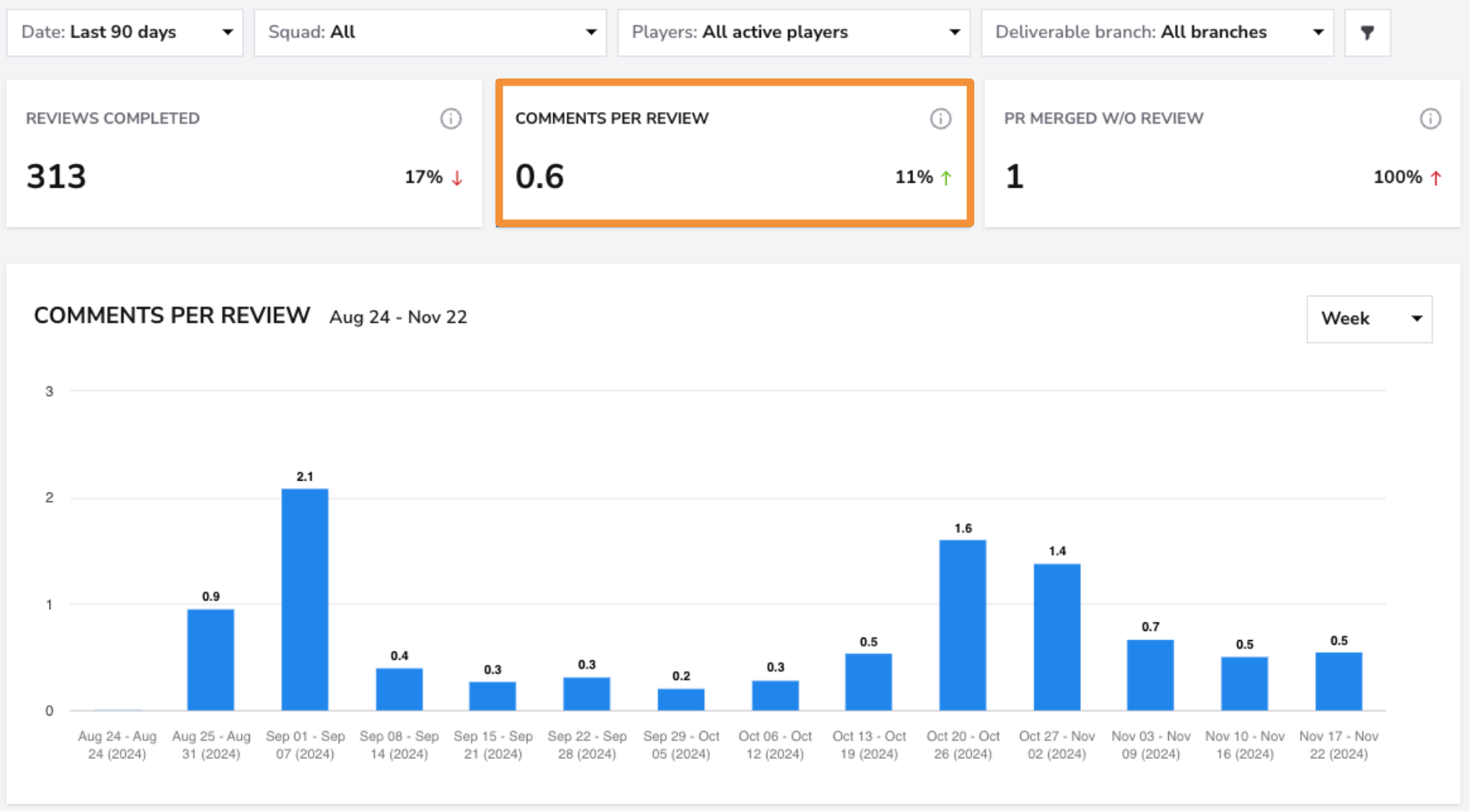
Reviews Completed
- What: Tracks the number of code reviews completed over a specified period.
- Why it matters: Regularly completed reviews ensure that all code changes are carefully evaluated, helping maintain high code quality standards and catch potential issues early.
- How to use it: Monitor this metric to assess the team’s engagement in the review process and ensure that review activity aligns with project demands and timelines.
- User interface:
Comments per Review
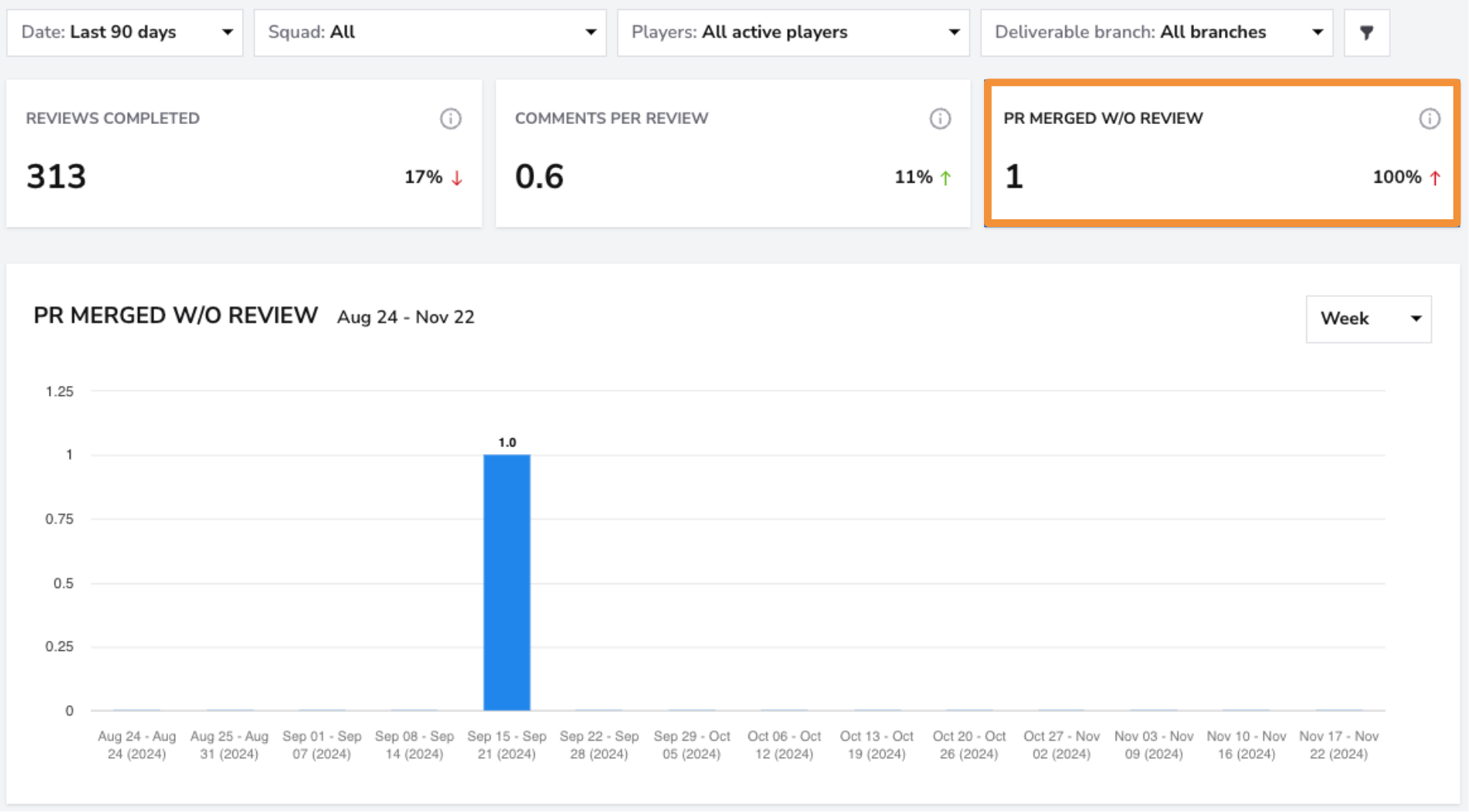
- What: Measures the average number of comments made during each code review.
- Why it matters: A higher number of comments often indicates thorough reviews and active discussions, fostering a culture of knowledge sharing, continuous improvement, and high-quality code.
- How to use it: Track this metric to evaluate the depth and quality of feedback provided during reviews. Encourage meaningful, constructive comments to promote better understanding and collaboration.
- User interface:
Filters
Use the Squad Filter to view collaboration metrics for individual squads. If you want a broader overview of all teams, select the "All" filter to see the breakdown across all squads at once.

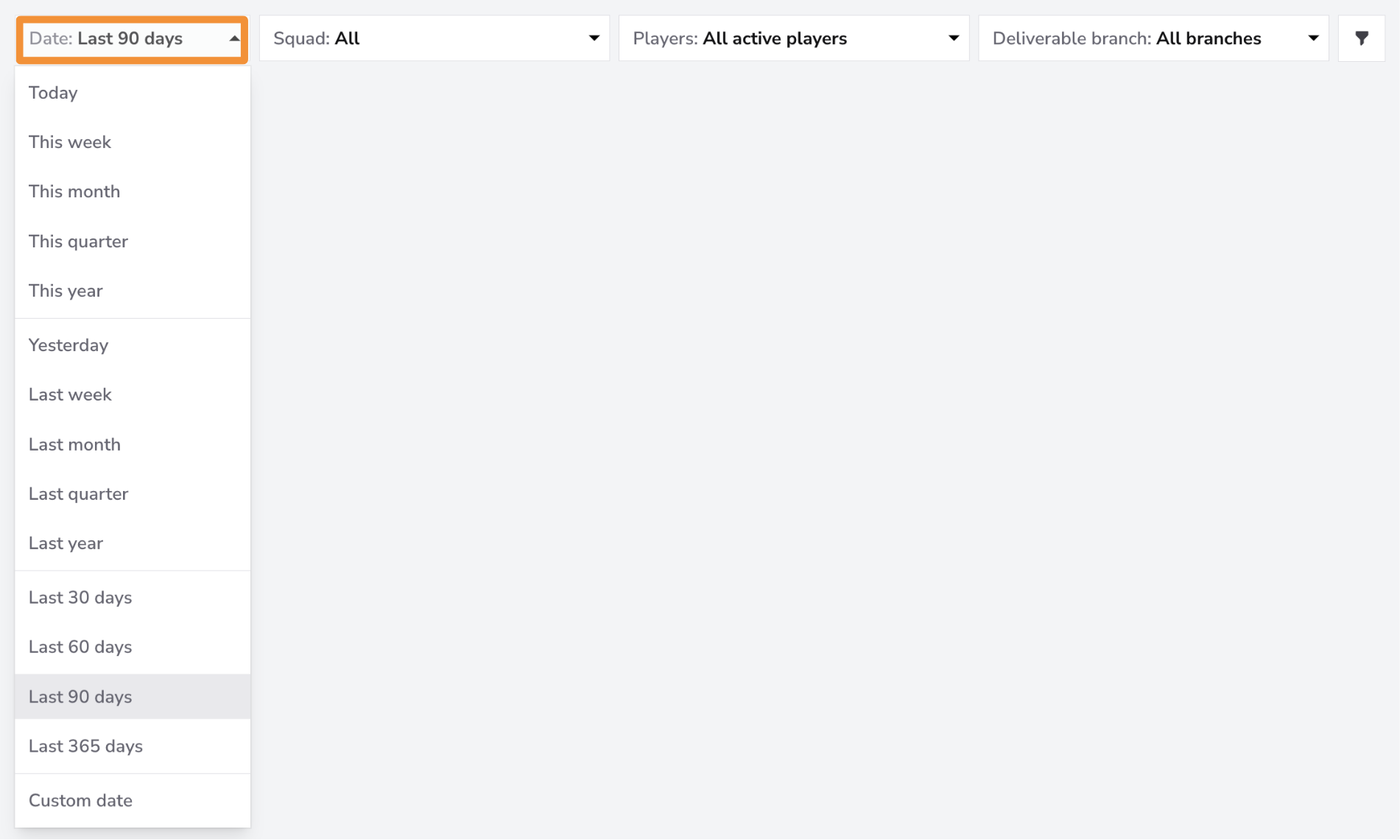
The Date Filter allows you to view data for specific time periods. You can filter for the last month, quarter, or 365 days. If you need more granular control, you can filter by a custom date range.
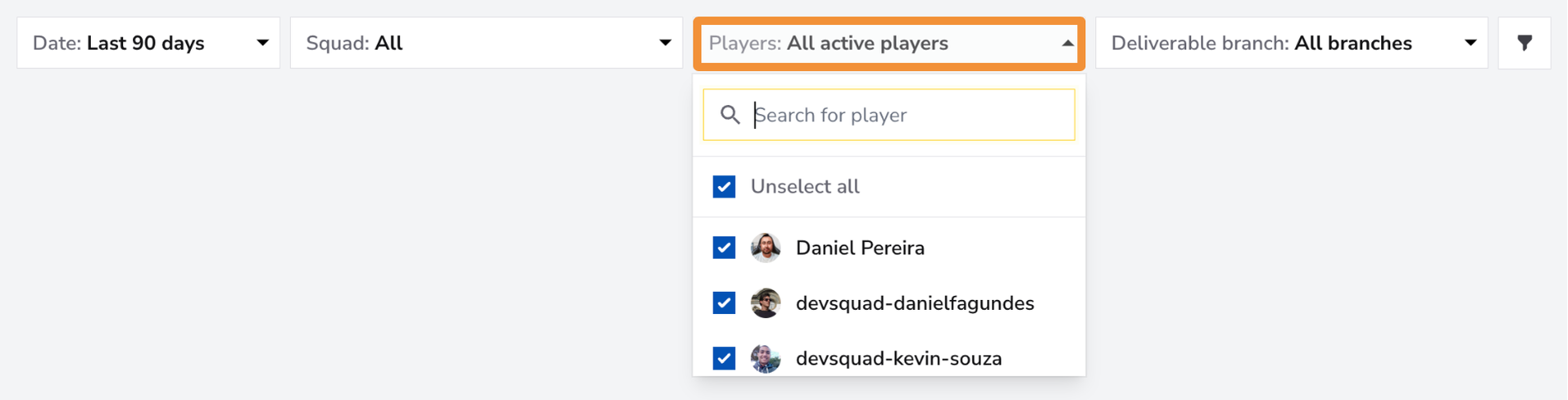
Use the Players Filter to focus on individual team members or a specific group within your squad. You can select one member for a detailed view, a group of team members if they form a sub-squad, or all team members for an overview of the entire squad's collaboration metrics.
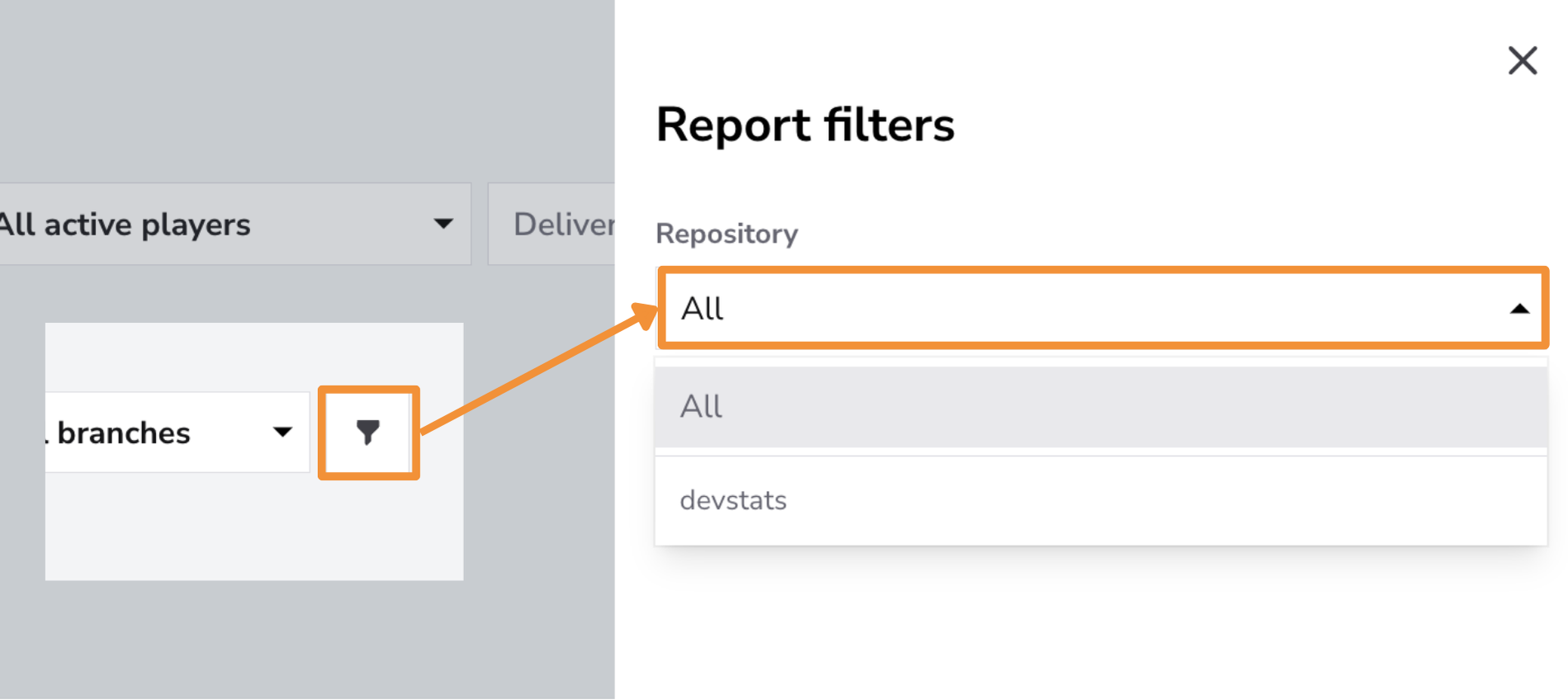
Use the Repository Filter to focus on specific repositories or view productivity metrics across all repositories.
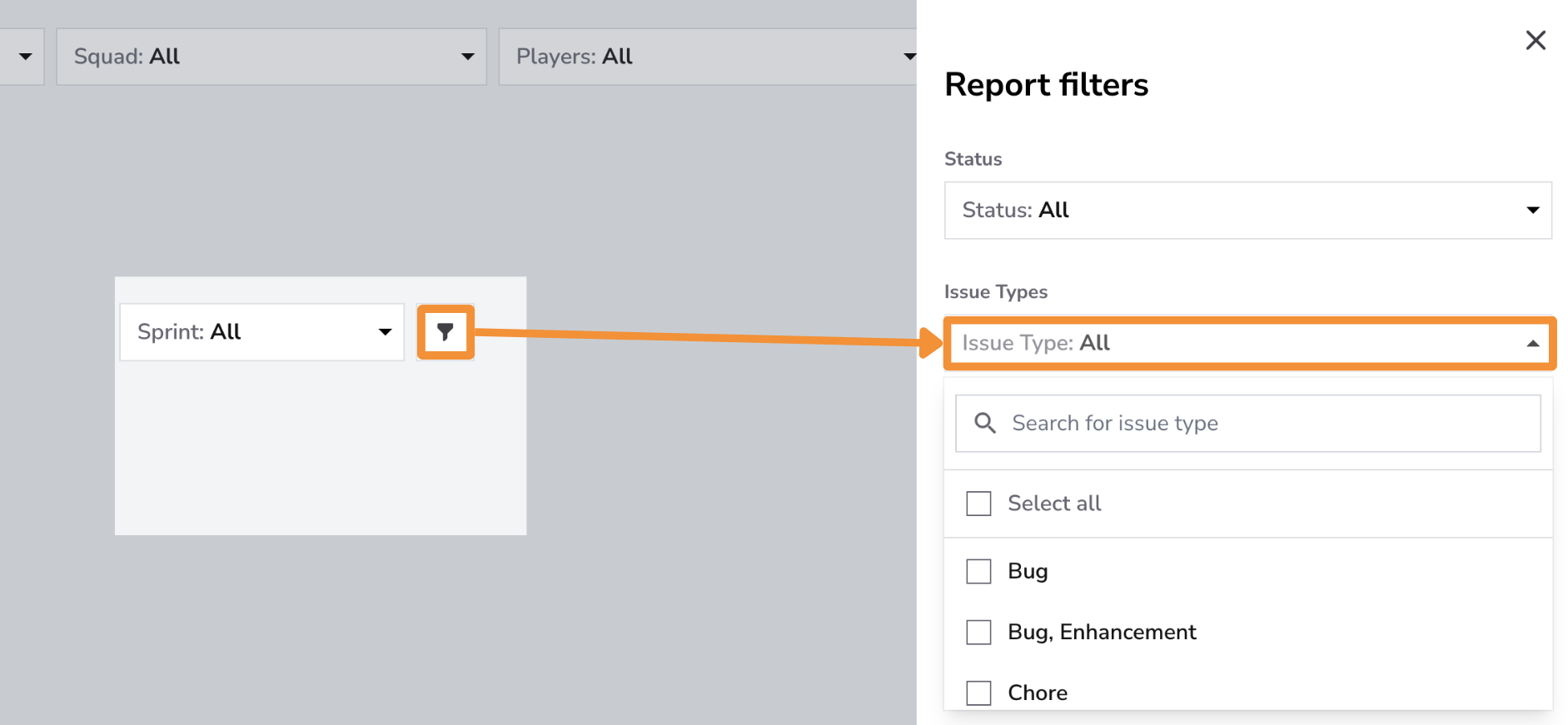
Use the Issue Type Filter to analyze collaboration metrics for specific issue types, such as Features, Bugs, Enhancements, or Hotfixes. This filter provides insights into how the team collaborates on different types of work, such as the number of reviews completed, feedback quality, and whether PRs for certain issue types are being merged without review.
By isolating collaboration data by issue type, teams can identify trends, prioritize areas needing more thorough review, and ensure consistent quality and engagement across all types of tasks.
Controls
In this report, Controls offers Chart Settings only: enable Trendline or Regression line to inspect patterns in the chart. Statistical Measure and PR Cycle Time Stages are not available; these options do not change how the report metrics are calculated.
Click the adjustments button on the Controls bar and select Save after choosing your options. See the Controls guide for details.
Best Practices for Using the Collaboration Snapshot Report
- Foster a Feedback-Driven Culture: Encourage all team members to actively participate in code reviews and provide meaningful, constructive feedback. A culture of feedback improves code quality, fosters knowledge sharing, and strengthens collaboration within the team.
- Set and Enforce Review Standards: Define clear, consistent standards for code reviews to ensure thorough evaluations across the team. Include guidelines on feedback expectations, areas to prioritize (e.g., security or performance), and criteria for approving pull requests.
- Minimize Unreviewed Merges:Use the PRs Merged Without Review metric to detect risky practices. Establish mandatory review policies for all pull requests, implement automated checks to enforce these rules, and educate team members about the importance of peer reviews in maintaining code reliability.
- Track Collaboration Trends and Adjust Practices:Regularly analyze metrics such as Reviews Completed and Comments per Review to identify patterns in engagement. If activity dips, consider providing additional training or revisiting the team’s review process to address any barriers to effective collaboration.
Conclusion
The Collaboration Snapshot Report is a powerful tool for evaluating and improving your team’s collaborative practices. By monitoring metrics like Reviews Completed,Comments per Review, and PRs Merged Without Review, teams can enhance their review processes, encourage meaningful feedback, and ensure code changes meet high-quality standards. This report helps foster a culture of continuous improvement and shared ownership, driving better outcomes for your software projects.