Maintaining developers' focus times is crucial for maximizing productivity and code quality. The Activity Heatmap Dashboard helps you identify when your team is most active and in its flow state, allowing you to minimize interruptions during these critical periods. Here’s how to use it effectively:
Step 1: Identify Peak Productivity Times
-
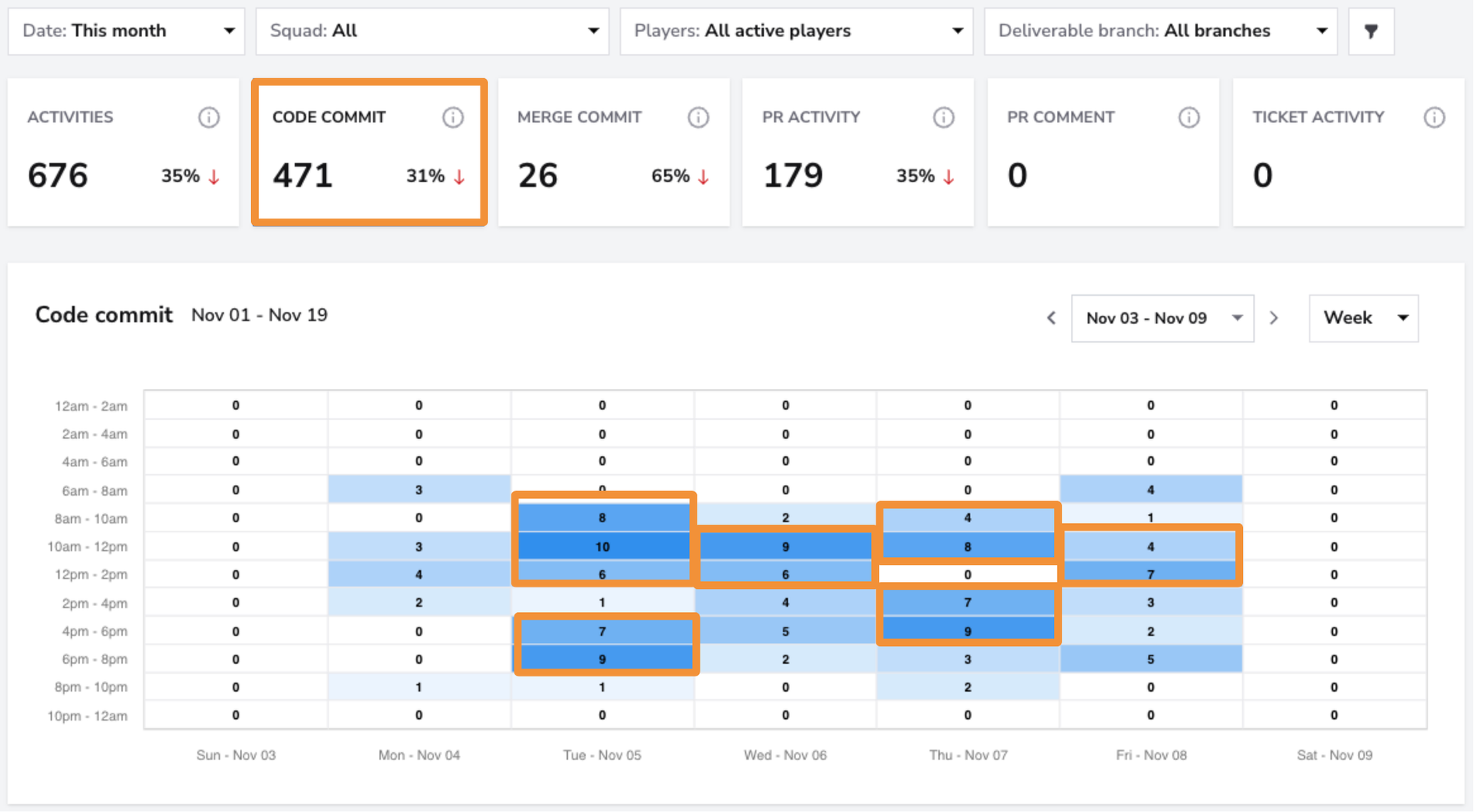
How: Look for the darkest blocks on the heatmap, which indicate periods of high activity, such as code commits or PR reviews. These are likely the times when developers are deeply focused.
-
What to look for: Consistently high activity during certain hours or days. These patterns often reflect when your team achieves their best work.
Step 2: Limit Interruptions
-
How: Schedule meetings, check-ins, or administrative tasks during lighter activity periods (lighter blocks on the heatmap). Use tools like asynchronous messaging to avoid disrupting focus.
-
What to look for: Ensure high-activity blocks remain free of meetings and non-essential tasks to maintain uninterrupted focus.
Step 3: Communicate Designated Focus Times
-
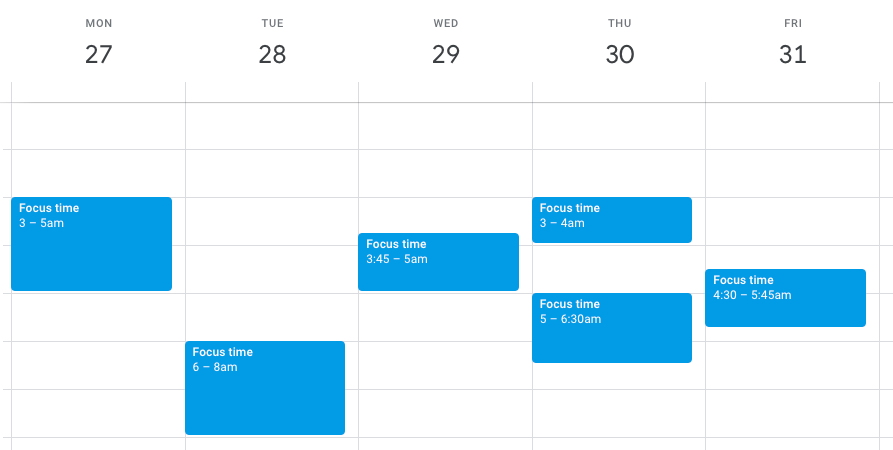
How: Use the insights from the heatmap to establish team-wide focus hours. Share these with stakeholders to set clear expectations about when developers should not be interrupted.
-
What to look for: Align focus hours with the team’s natural productivity peaks for maximum efficiency.
Step 4: Adjust Workloads if Necessary
-
How: If some developers have high activity during unconventional hours (e.g., late at night), check for potential burnout or workload imbalances. Reallocate tasks or adjust schedules as needed.
-
What to look for: Outliers in activity patterns that suggest an uneven workload or potential overwork.
Conclusion
By using the Activity Heatmap to protect focus times, you can help your developers maintain their flow state, leading to higher productivity and better-quality work. Schedule collaborative activities and interruptions during low-activity periods to ensure your team remains focused and effective.