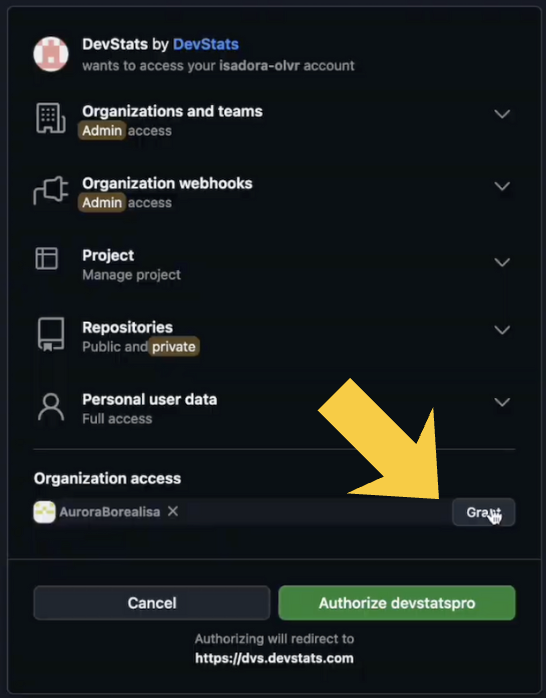
Cannot see repositories in the dropdown after authorizing on GitHub?
Symptom You connected GitHub, but no repositories or data appear in DevStats.
Cause
The OAuth process wasn’t fully completed, you must click Grant for your organization on the GitHub authorization page. If you skipped this step, GitHub won’t let you reopen the authorization page until the app is revoked.
Fix
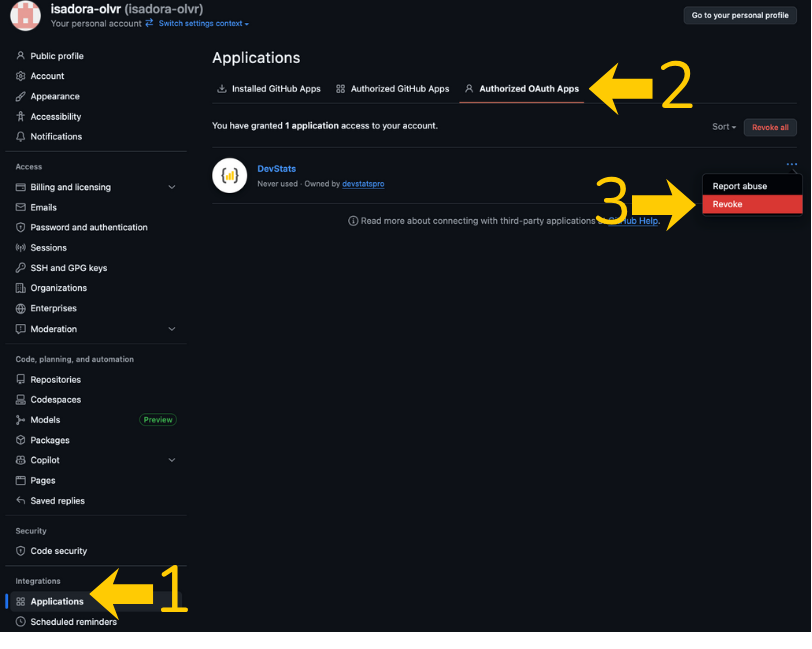
- Revoke the GitHub OAuth app:
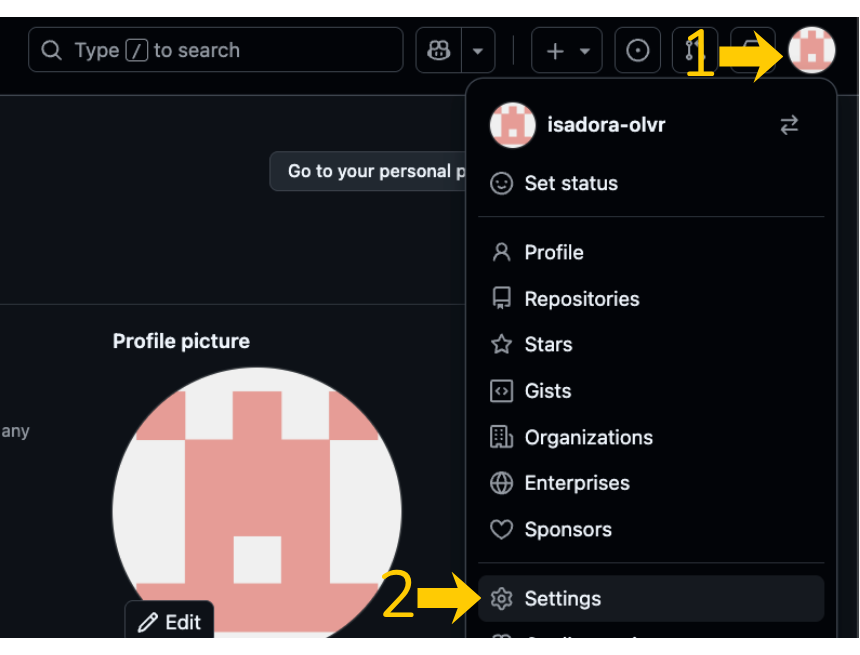
- Go to your GitHub Settings (top-right profile picture → Settings).Click Applications → Authorized OAuth Apps.Find DevStats, open the ⋯ menu, and chooseRevoke .
- Redo the integration from DevStats:Go to Squad → GitHub (Add Integration).When redirected to GitHub, click “Grant” next to your organization.Return to DevStats and complete the authorization.