Overview
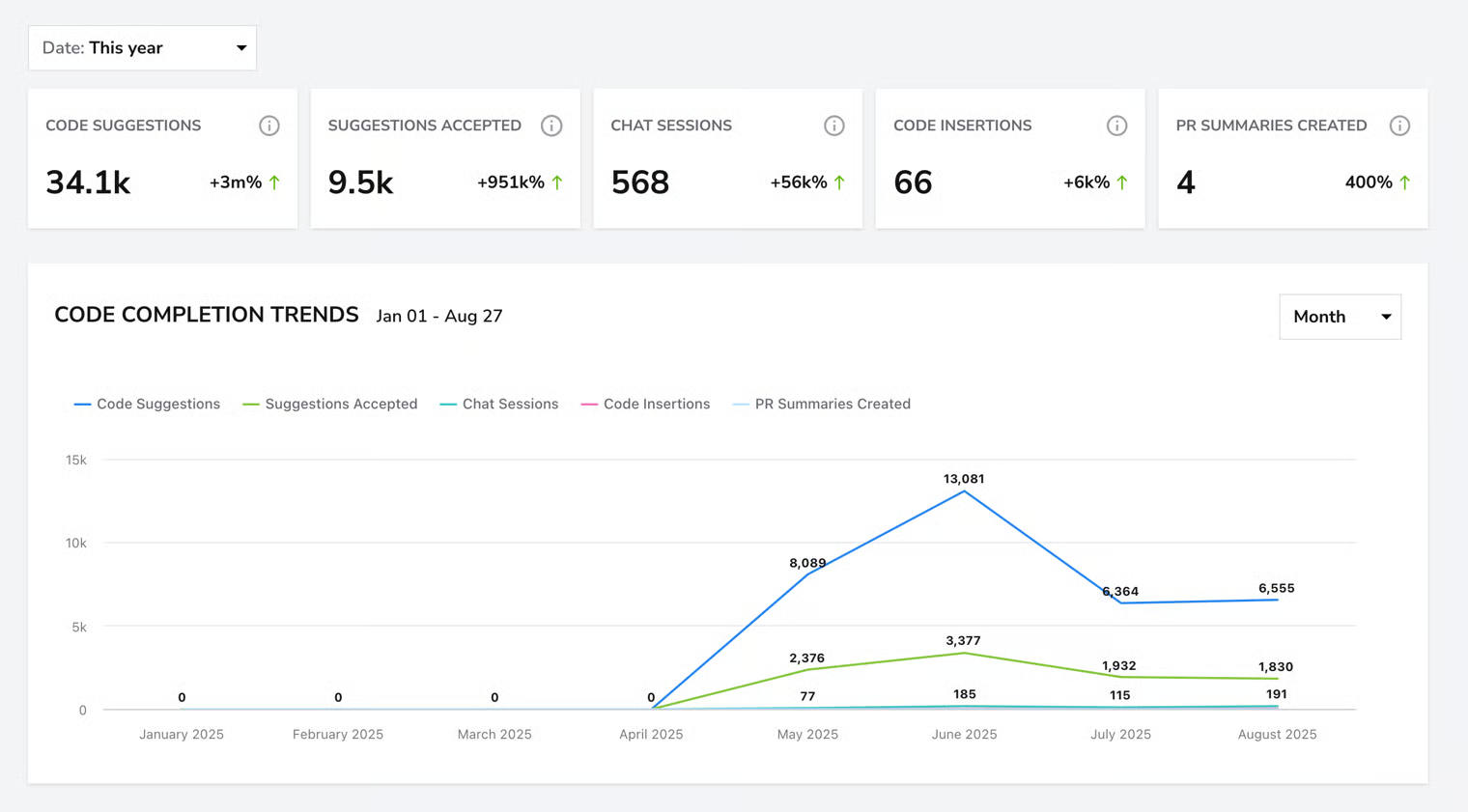
This guide explains how to connect GitHub Copilot with DevStats so we can analyze Copilot usage signals and enrich engineering productivity insights.
This integration helps teams understand how AI-assisted development influences delivery speed, code changes, and workflow patterns.
Steps
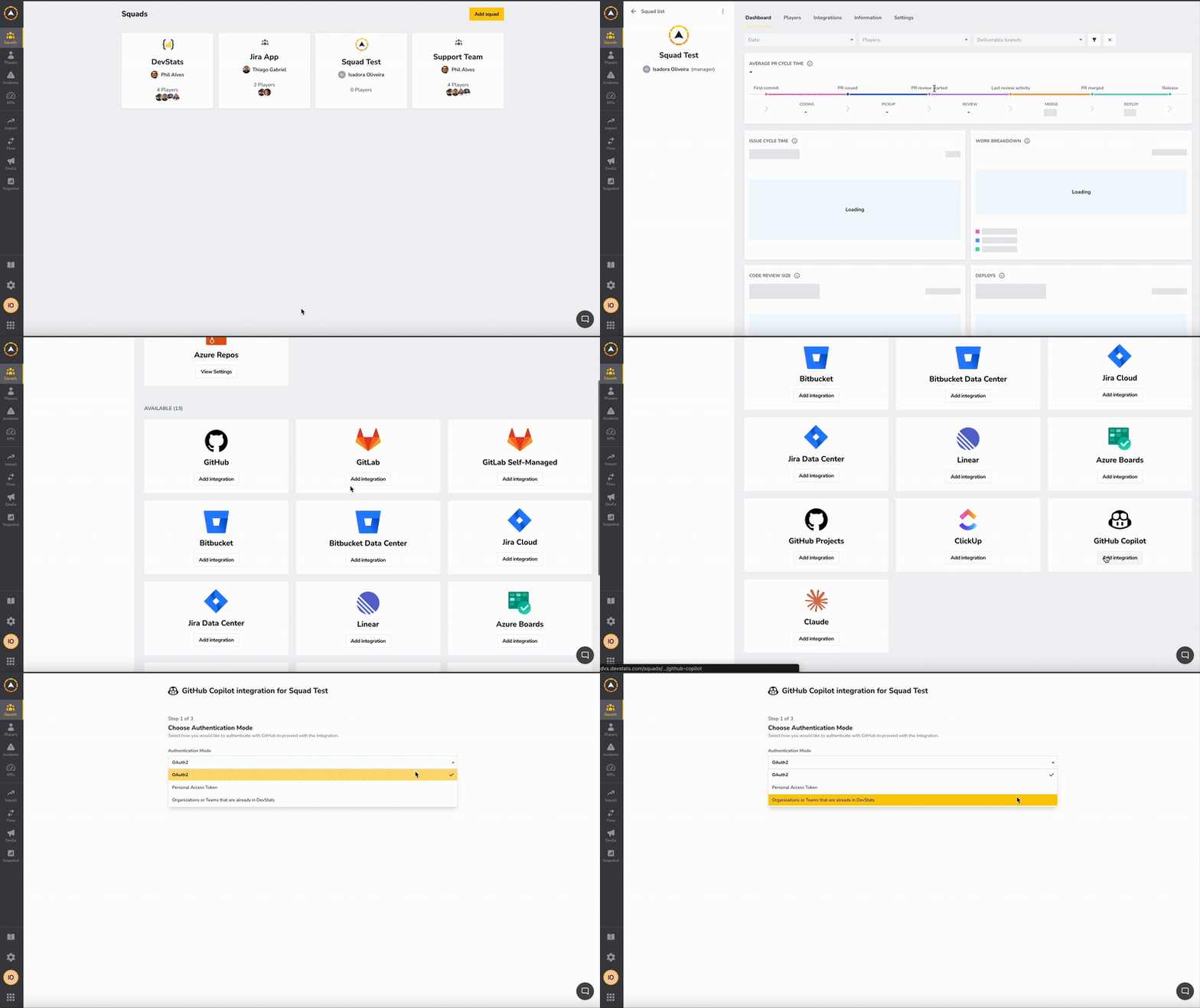
- In the Squad Integration tab, scroll down to the GitHub Copilot card and click Add Integration.
-
Choose how you want to authenticate with GitHub. There are three authentication modes:
-
OAuth2 Authenticate using OAuth2 to allow DevStats to securely access your GitHub data without sharing your password.
-
Personal Access TokenProvide a GitHub Classic Personal Access Token to authenticate the integration.
-
Organizations or Teams already in DevStats Select an organization or team that is already integrated into DevStats to quickly link it to this squad without creating a new integration.
-
Follow the on-screen steps based on the selected authentication mode.
-
Click Save Integration to complete the setup.
✅ Verify Integration
After saving, you’ll see a status indicating that data collection has started. Copilot data is processed asynchronously and may take several hours to appear, depending on organization size and activity level.
Once completed, Copilot insights will appear in the GitHub Copilot Activity report.