To make the most of the Investment Profile report, it’s important to configure how issues are categorized. By default, the report tracks deliverables based on Git branch naming conventions like feature/, bug/, or hotfix/. Ensure that your team’s branches follow this format for automatic categorization.
However, you can adjust these settings to suit your team's custom branch naming or labeling conventions, ensuring deliverables are correctly categorized.
Step 1: Customize Branch Name Settings
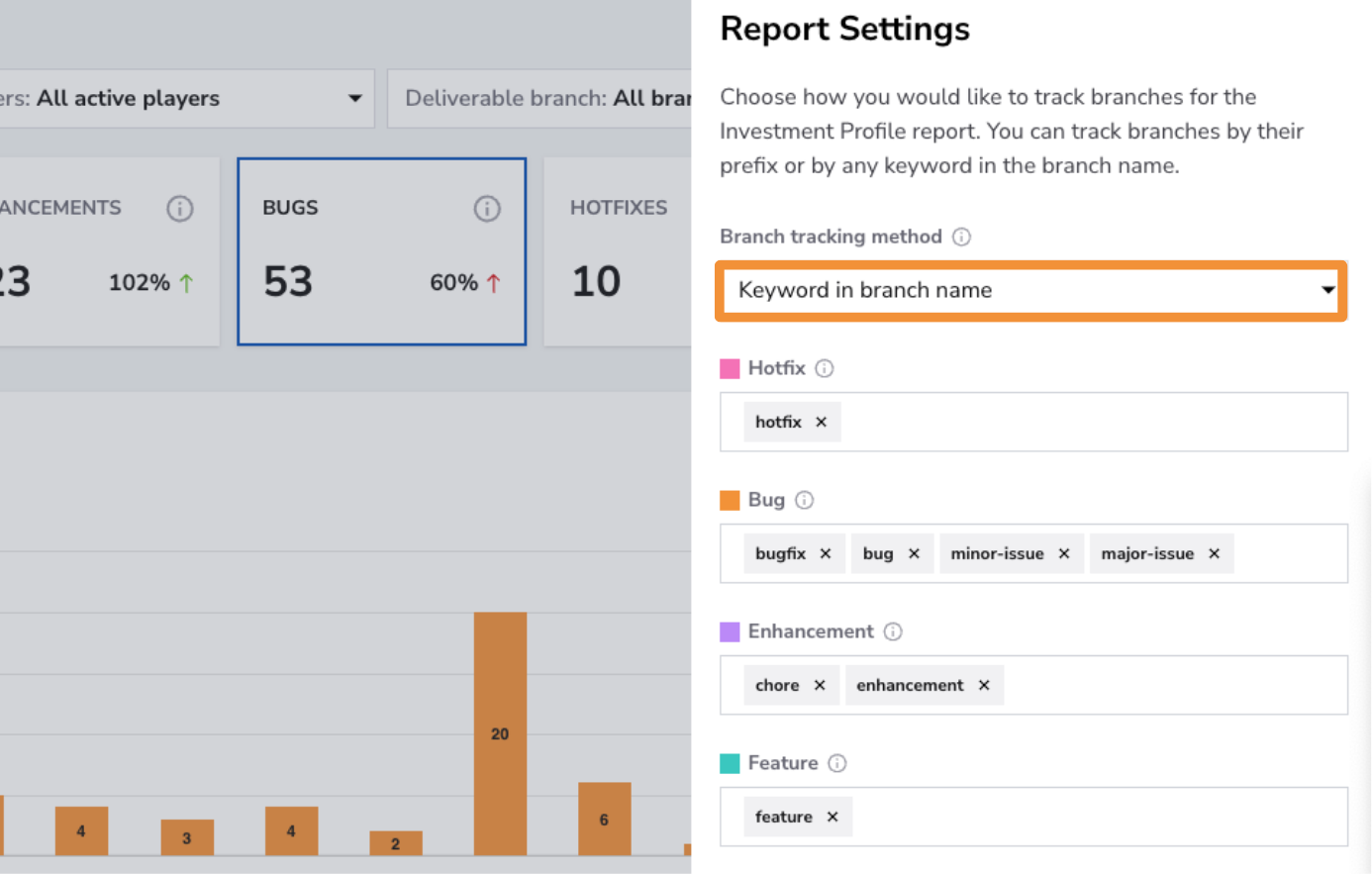
- How:If your team uses a different naming convention, adjust the settings to fit your system. You can select “keyword in branch name” to categorize branches by specific words, like in this example where the branch contains the word "bug":
issue-147-bug-fix-performance.
Step 2: Configure Custom Labels
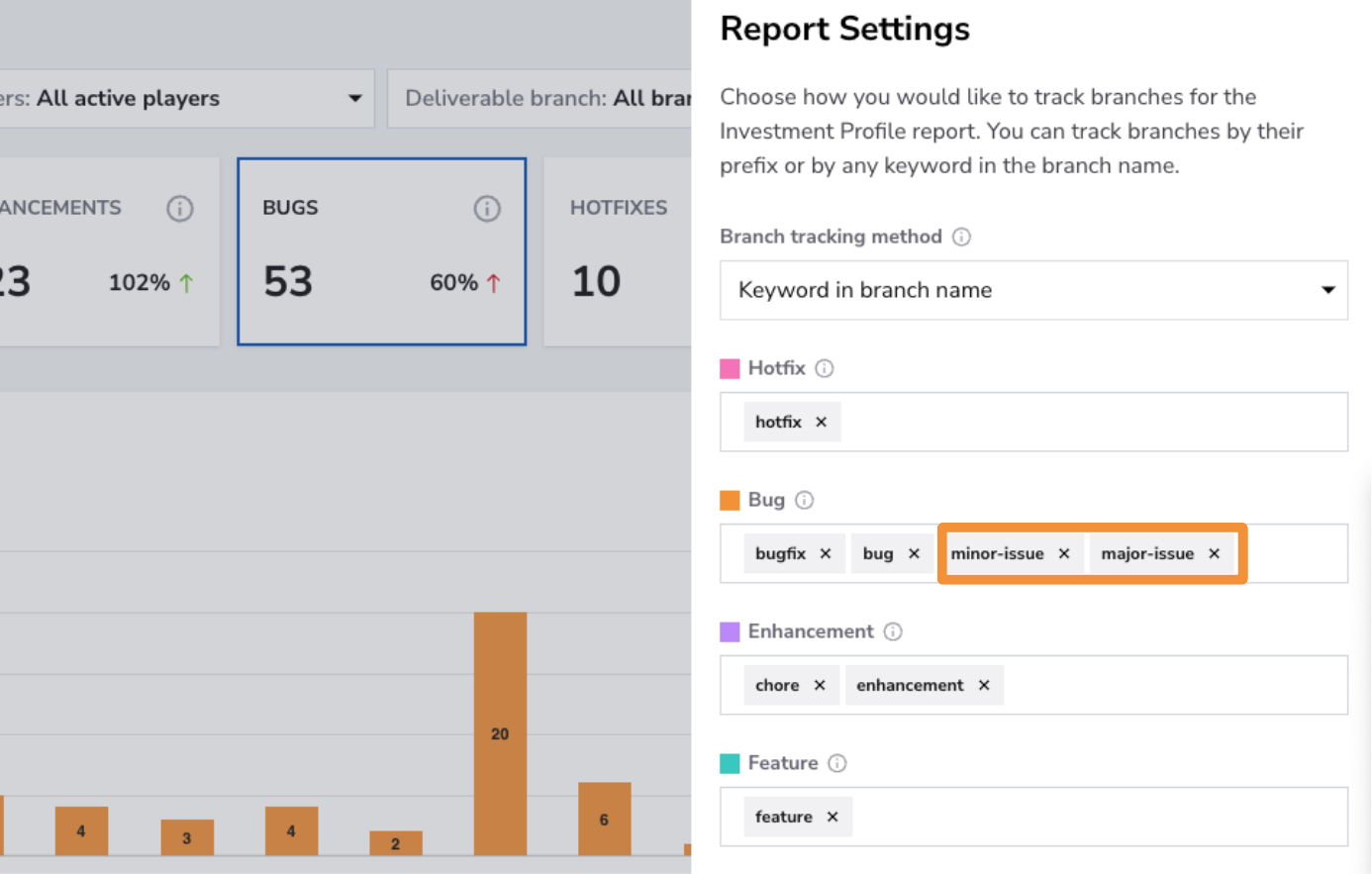
- How: If your team uses custom labels to tag issues, add these labels to the Investment Profile feature to enhance categorization. For example, if your team tags bugs as
minor-issueormajor-issue, you can assign these labels to the bug deliverable category, allowing them to be tracked automatically in the report.
Step 3: Review and Apply Changes
After making changes, ensure your branches and labels reflect the new settings for accurate tracking and reporting.